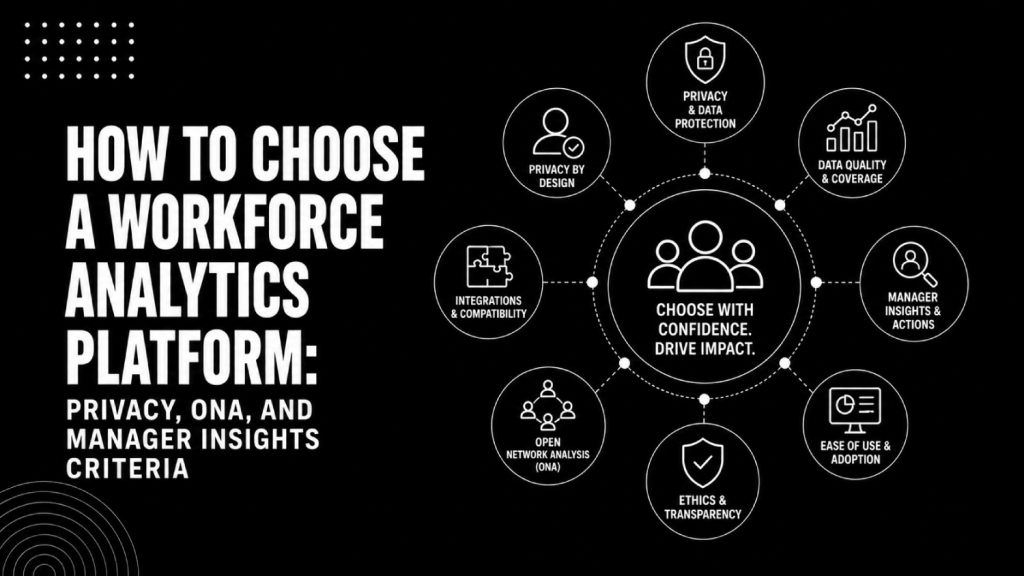

- Most workforce analytics platforms fail not because of bad data, but because buyers evaluated them like BI tools and ignored three things that actually matter: privacy architecture, organizational network analysis depth, and whether managers will actually use the outputs.
- Privacy posture is a selection criterion, not a compliance checkbox. How a platform handles individual-level data determines what you can deploy, where, and whether your works council will block it.
- Organizational network analysis (ONA) separates platforms doing real collaboration intelligence from those slapping a network graph on top of meeting counts.
- Manager-facing insights are the last mile of workforce analytics. A platform that surfaces brilliant findings only to a central people analytics team has a serious adoption problem baked into its design.
- The right evaluation sequence: define your primary use case, audit your data infrastructure, pressure-test privacy controls, then evaluate analytical depth and manager experience.
To choose a workforce analytics platform, evaluate vendors across four dimensions in order: the privacy architecture governing individual data handling, the depth of organizational network analysis beyond basic meeting metrics, the quality of manager-facing insight delivery, and the integration path to your existing HRIS or HCM. Platforms that excel on dashboards but fail on privacy controls or manager adoption rarely deliver ROI past the pilot phase.
Most companies shopping for workforce analytics start with demos. A vendor shows a beautiful headcount dashboard, a retention risk heatmap, and a skills gap waterfall chart. The buying team nods along, scores it on “ease of use” and “number of integrations,” and signs the contract. Twelve months later, the platform is a well-priced spreadsheet that three analysts access and no one else trusts.
The reason is almost never the dashboard. The dashboard was fine. The failure was in what the buying team did not ask: How does this platform handle individual-level behavioral data? Does the ONA go deeper than who attended what meeting? Will my managers actually act on these insights, or will this become another HR report they ignore?
This guide focuses specifically on how to choose a workforce analytics platform, not people analytics broadly. If you want the wider people analytics framing, see our guide on how to choose a people analytics platform without buying another dashboard nobody uses. The criteria here are distinct: workforce analytics platforms are bought to understand workforce behavior, capacity, collaboration patterns, and manager effectiveness at scale, which creates different privacy, technical, and adoption requirements.
What Separates Workforce Analytics From People Analytics (and Why It Changes Your Criteria)?
The distinction matters because it changes the risk profile of the tool you are buying. People analytics platforms typically aggregate structured HR data: headcount, turnover rates, performance ratings, compensation bands. Workforce analytics platforms go further. They ingest behavioral signals, collaboration data from Microsoft 365 or Google Workspace, badge access logs, productivity metadata, or communication patterns to surface how work actually happens.
That additional data depth is what makes workforce analytics genuinely useful for capacity planning, team health monitoring, and spotting burnout signals early. It is also what creates the privacy and legal exposure that people analytics tools largely avoid. For a precise breakdown of where the category lines sit, see our explainer on people analytics vs workforce analytics vs talent intelligence.
The selection criteria below are calibrated to that higher-stakes environment.
What Privacy Architecture Should You Require Before Buying?
Privacy posture is the single most important criterion that buyers skip. It determines whether you can legally deploy the platform across all your geographies, whether your employees will trust it, and whether your legal or works council review will kill the rollout six months in.
Start by understanding the data minimization model. Some platforms collect everything at the individual level and aggregate for display. Others aggregate at the source before anything individual ever enters the system. The first model creates ongoing legal risk under GDPR, the UK Data Protection Act 2018, and emerging US state privacy laws. The second is structurally safer, though it constrains some analytical depth.
What Specific Privacy Controls Should You Demand?
Ask every shortlisted vendor to answer these questions concretely, not in marketing language:
- Data minimization: At what point does individual-level data get aggregated or anonymized? Is this configurable, or baked into the architecture?
- Minimum group size thresholds: Does the platform enforce a minimum cohort size before displaying analytics (typically five to ten people) so individual employees cannot be reverse-identified?
- Manager visibility scope: Can a manager see individual behavioral signals for their direct reports, or only team-level summaries? This is the line between workforce analytics and employee surveillance.
- Data residency: Where is data processed and stored? Can you enforce EU or UK data residency requirements?
- Right to explanation: If the platform flags an employee as a flight risk or burnout risk, does it provide an auditable explanation, or is it a black-box score?
The difference between employee monitoring and workforce analytics is largely about these controls. Platforms like Microsoft Viva Insights and Worklytics have made privacy-by-design central to their positioning, using personal insights visible only to the individual and aggregated organizational insights separately. Platforms like ActivTrak and Teramind operate on an individual monitoring model that creates a different risk and trust calculus entirely.
For GDPR-compliant deployments, require a Data Processing Agreement before contracting. Require a legitimate interests assessment or explicit consent framework in writing, not a promise in a sales call.
How Deep Does the ONA Actually Go?
Organizational network analysis is the analytical capability that separates genuine workforce intelligence platforms from BI tools with an HR data connector. ONA maps the informal collaboration and influence networks inside an organization, not the org chart. It can identify isolated employees before they disengage, locate the informal connectors who actually move information across silos, and surface managers whose teams are chronically excluded from key decision loops.
The problem is that ONA has become a marketing checkbox. Almost every workforce analytics vendor now claims ONA. Few deliver analytical depth beyond “here is a network graph of who emails whom.”
How to Distinguish Real ONA From Feature-Washing
Probe the ONA capability with these specific questions during your vendor evaluation:
- Signal sources: What collaboration signals feed the network model? Email alone produces a thin, biased picture. Calendar data, Slack/Teams message metadata (not content), document co-editing, and cross-team meeting patterns together produce a materially richer model.
- Temporal analysis: Does the platform track network changes over time, or only show a current snapshot? Detecting early isolation or over-extension requires temporal depth.
- Directed vs undirected: Does the model distinguish between who initiates contact and who receives it? Directional ONA reveals very different dynamics than undirected connection counts.
- Normalization for role type: A sales rep and a software engineer have structurally different collaboration patterns. Does the platform normalize network metrics by function, seniority, or role type before surfacing risk flags?
- Action linkage: Can an ONA finding trigger an intervention workflow, or does it just sit in a chart? ONA without action paths is analytics for its own sake.
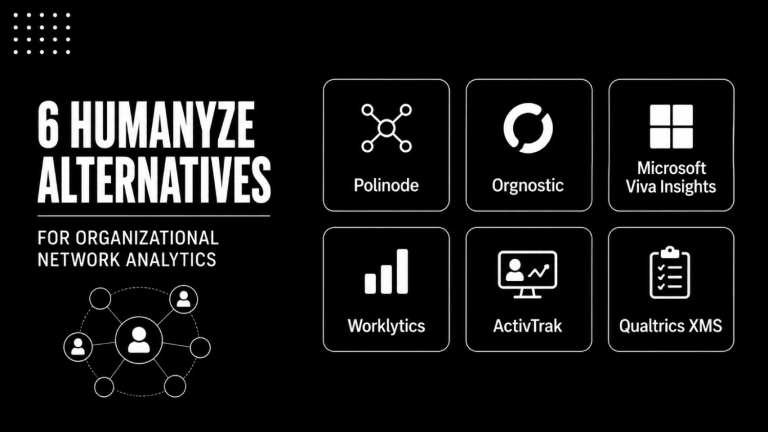
Vendors worth evaluating for genuine ONA depth include Microsoft Viva Insights (strong signal breadth within M365), Worklytics (privacy-first ONA with strong GDPR controls), and Humanyze (deep behavioral ONA, enterprise-focused). Each makes different trade-offs between analytical depth and privacy posture. See our full breakdown in the Microsoft Viva vs Worklytics vs ActivTrak comparison.
Will Managers Actually Use the Insights This Platform Surfaces?
This is where most workforce analytics investments quietly die. The central people analytics team gets the platform. They build reports. They share findings with HR business partners. The insights occasionally reach a manager in a quarterly deck. Nothing changes.
The platform designers did not fail. The distribution architecture failed. For workforce analytics to affect outcomes, managers need to receive timely, specific, concrete signals in the context of their work, not in a separate analytics portal they will never log into unprompted.
What Good Manager Insight Delivery Looks Like
Evaluate how each platform handles the last mile of insight delivery:
- Push vs pull: Does the platform push a weekly digest to managers via email or Slack/Teams, or do managers have to log in? Pull-only models have consistently lower adoption.
- Insight specificity: Does a manager receive “your team’s collaboration health score is 67” or “three members of your team have had no cross-functional meetings this month”? The first is a number. The second is something a manager can act on today.
- Recommended actions: Good manager insight tools suggest a next step, not just a metric. A flag that one team member is showing isolation signals should come with a prompt, not just a score.
- Manager privacy guardrails: Managers should see team-level patterns and individual signals only where that is explicitly consented and scoped. They should not be able to view individual productivity metrics for reports without organizational policy backing it.
For a deeper look at how specific platforms handle manager insight delivery, our guide to manager insights platforms that turn HR data into frontline decisions covers the category in detail.
What Does a Complete Workforce Analytics Platform Evaluation Scorecard Look Like?
Use this framework to score vendors side by side during your RFP process. Weight the columns based on your organization’s primary use case.
| Criterion | What to Evaluate | Red Flag |
|---|---|---|
| Privacy architecture | Aggregate-first vs individual-first data model; GDPR/CCPA controls; minimum cohort thresholds; DPA availability | Vendor cannot produce a DPA before contract; individual-level behavioral data visible to managers by default |
| ONA depth | Signal sources (email, calendar, messaging metadata, docs); temporal analysis; directed vs undirected; role normalization | ONA limited to email counts; no temporal trend view; no normalization for role type |
| Manager insight delivery | Push notifications to Slack/Teams/email; specificity of insights; recommended actions; manager privacy controls | Insights only available in a separate portal; no push mechanism; no recommended next steps |
| HRIS/HCM integration | Native connectors to your HRIS (Workday, SAP SuccessFactors, BambooHR, HiBob); data refresh cadence; custom field mapping | Integration requires professional services only; weekly or slower data refresh; no org hierarchy sync |
| Collaboration data connectors | M365/Google Workspace support; Slack/Teams metadata; metadata-only (not content); consent and scope controls | Content-level access to messages or emails; no clear documentation of what is ingested |
| Analytical depth | Predictive models (flight risk, burnout, capacity); skill inference; scenario modeling; custom metric building | Pre-built dashboards only; no custom metrics; no predictive capability |
| Deployment scope | Works council readiness; multi-region data residency; employee transparency documentation | No multi-region support; no employee-facing privacy notice templates |
| Pricing model | Per-seat vs enterprise license; module-based vs platform pricing; implementation costs | Pricing only available post-demo; implementation quoted as a large percentage of license cost |
What Integration Path Does the Platform Require?
Workforce analytics platforms are only as good as the data flowing into them. Before you evaluate any vendor’s analytical capabilities, audit your own data infrastructure. A platform with sophisticated ONA algorithms still produces garbage if the org hierarchy data in your HRIS is six months stale or your Workday job codes are inconsistent across regions.
The non-negotiable integrations for any workforce analytics deployment are: your core HRIS (for org structure, tenure, performance data, and cost center mapping), your productivity suite (M365 or Google Workspace for collaboration signals), and your ATS if you want to connect workforce planning to pipeline data. Secondary integrations for more mature programs include your LMS, your compensation management tool, and your engagement survey platform.
Verify integration depth, not just integration existence. A vendor claiming a “Workday integration” might mean a file-based SFTP transfer running nightly. That is functionally different from a real-time API connection with bi-directional field mapping. Ask specifically: what is the data refresh cadence, what fields are synced, and does the integration handle org hierarchy changes automatically?
If your HR data is fragmented across systems with no single source of truth, a workforce analytics platform will not fix that problem. That problem needs to be resolved upstream. Our guide on the best tools to clean, connect, and use workforce data covers that remediation path before you layer analytics on top.
How Should You Handle Works Councils and Employee Consent?
If you have employees in Germany, the Netherlands, France, Belgium, Austria, or other co-determination jurisdictions, works council approval is not optional. It is a precondition for deployment. Many companies discover this after signing the contract.
Works councils in Germany (Betriebsrat) have formal co-determination rights over any system that monitors employee behavior, and workforce analytics platforms, particularly those with ONA or productivity tracking, typically qualify. In the Netherlands and Belgium, works councils hold similar rights over employee monitoring systems. Austria’s Arbeiterbetriebsrat carries comparable authority. In France, co-determination rights apply to systems that monitor employee activity, though whether ONA or behavioral analytics specifically triggers the obligation depends on how the system is scoped and what data it processes, check with local counsel before assuming it does or does not apply. Engagement with the works council must happen before rollout in all these jurisdictions, not as a notification after go-live.
The practical implication for vendor selection: require that your shortlisted vendors provide works council documentation packages. Ask whether they have deployed in Germany or the Netherlands before and what process they support. Vendors with no experience in co-determination jurisdictions represent real deployment risk regardless of how good the platform is.
For US companies, individual-level monitoring intersects with state-level employee privacy laws in California, Colorado, and Connecticut, among others. The AI HR bias audit tools space is also relevant if the platform uses algorithmic scoring to flag employees for any HR action. See our coverage of AI HR compliance and bias audit tools for what additional scrutiny that triggers.
What Are the Real Costs of a Workforce Analytics Platform?
Pricing across workforce analytics vendors is almost entirely quote-based for mid-market and enterprise buyers. Microsoft Viva Insights is the primary exception: it is available as part of Microsoft 365 plans or as a standalone add-on, with pricing varying by M365 tier. Current figures are documented on Microsoft’s public pricing page, which is the authoritative source given that rates change with M365 licensing updates. Dedicated workforce analytics vendors including Worklytics, Humanyze, Visier, and Orgvue do not publish pricing publicly. All four are quote-only, and no standard rate card exists in the market. Expect significant variation based on employee count, module selection, and contract term.
What buyers consistently underestimate is the implementation and data readiness cost. In many mid-market deployments, the professional services cost to clean org data, configure integrations, and train managers runs alongside the license cost. Ask for a full total cost of ownership estimate, not just the license figure. Request references from companies at your scale who can describe the actual time-to-value they experienced.
The hidden costs of HR software implementations more broadly are covered in our detailed breakdown of implementation, integration, and per-employee fees.
Frequently Asked Questions
What is the most important criterion when evaluating a workforce analytics platform?
Privacy architecture. Before you evaluate any analytical feature, determine whether the platform is built on an aggregate-first model (individual data never stored at the individual level) or an individual-first model (full data collected, aggregated for display). The first is structurally safer for GDPR, works council, and employee trust. The second creates ongoing legal and cultural risk. Every other capability criterion is secondary to this.
What is organizational network analysis and which platforms do it well?
Organizational network analysis (ONA) maps informal collaboration and influence networks using behavioral signals like email metadata, calendar data, and messaging patterns, independent of the formal org chart. Microsoft Viva Insights delivers strong ONA within the M365 ecosystem. Worklytics provides privacy-first ONA with GDPR controls. Humanyze covers deep enterprise behavioral ONA. Quality ONA goes beyond meeting counts: it requires temporal analysis, directed network modeling, and role normalization to produce usable insights.
How do you evaluate whether managers will actually use a workforce analytics tool?
Ask the vendor to show you the exact interface a frontline manager sees, not the admin or HR analyst view. Good manager experience means: insights pushed to existing tools like Slack or Teams, specific observations with recommended actions, and privacy guardrails that prevent managers from seeing individual behavioral metrics outside defined policy scope. If the manager experience requires logging into a separate portal, adoption will be low regardless of insight quality.
What data integrations does a workforce analytics platform need?
The baseline integrations are your HRIS for org structure and HR data, and your productivity suite (Microsoft 365 or Google Workspace) for collaboration signals. Verify integration depth: ask specifically whether the sync is file-based or API-based, what the refresh cadence is, and whether org hierarchy changes sync automatically. Secondary integrations with your ATS, LMS, and engagement survey platform add analytical depth for more mature programs.
Do workforce analytics platforms require works council approval in Europe?
In Germany, the Netherlands, Belgium, and Austria, works council approval is typically required before deploying any system that processes behavioral or collaboration data at the employee level. This is a co-determination right, not a recommendation. In France, the obligation depends on system scope and data processed, local legal counsel should confirm before rollout. Engage the works council before signing any vendor contract. Require vendors to provide works council documentation packages and ask specifically about prior deployments in your target countries.
How is workforce analytics different from employee monitoring?
The functional difference is the unit of analysis and the scope of data visible to managers and HR. Workforce analytics aggregates behavioral signals to surface team-level and organizational patterns, with minimum cohort thresholds preventing individual identification. Employee monitoring captures individual-level activity, productivity, or content data visible at the person level. Many platforms occupy a spectrum between these. Platform architecture, configuration controls, and policy decisions determine where a given deployment sits on that spectrum.
What red flags should eliminate a workforce analytics vendor from consideration?
Four concrete red flags: the vendor cannot produce a Data Processing Agreement before contract signature; individual-level behavioral data is visible to managers by default with no configuration to restrict it; ONA is limited to email send-receive counts with no temporal depth or signal diversity; and implementation requires a professional services engagement sized larger than a quarter of the annual license cost. Any one of these warrants a hard look before proceeding.
The Decision Most Buyers Get Backwards
Buyers evaluate workforce analytics platforms in the wrong order. They start with features, see what looks impressive in a demo, then try to retrofit privacy and integration requirements onto their favorite. The result is a platform that passed demo-day but fails deployment.
The right sequence runs the other way. Define your primary use case first: is this workforce capacity planning, manager effectiveness measurement, collaboration health monitoring, or early attrition detection? Each use case creates different data requirements and different privacy exposure. Then audit your integration infrastructure honestly, because a great platform connected to bad org data produces bad insights. Then evaluate privacy architecture as a gate, not a checkbox. Then assess ONA depth and manager experience as differentiators among the platforms that cleared the gate.
The category is maturing fast. Platforms that handled only structured HR data two years ago are now ingesting collaboration signals. Platforms originally built for employee monitoring are repositioning toward workforce intelligence. The category label tells you very little about what a specific platform actually does, how it handles individual data, or whether it will survive a legal review. Buying on criteria rather than category labels is the only reliable way to avoid a platform that looked right in March and caused a works council dispute in September.