
- Most HR implementations fail not because of the software, but because of dirty data, unclear ownership, and payroll dependencies nobody mapped in advance.
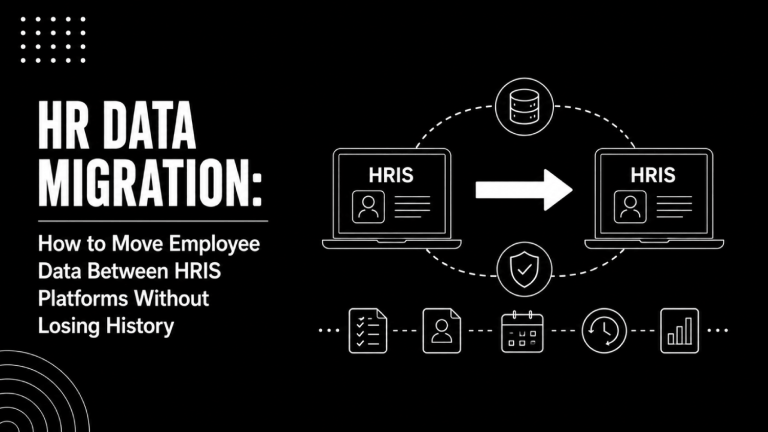
- Data migration is the highest-risk phase. Employee records, pay history, org structures, and benefits data must be audited and cleaned before you touch the new system.
- Payroll has zero tolerance for errors. A single missed deduction or wrong pay period cutoff on go-live week causes real financial and legal harm.
- Permissions and role configuration are commonly treated as afterthoughts. They belong in week one, not the day before launch.
- Testing must cover parallel payroll runs, integration data flows, and edge cases , not just a check that the login screen loads.
- Adoption does not happen automatically. A rollout plan without a communication and training sequence is a rollout plan that will fail.
A complete HR software implementation checklist covers auditing and cleaning your data before migration, mapping every payroll dependency, configuring permissions early, running parallel payroll cycles for at least one full period, testing all integrations end-to-end, and executing a phased rollout with a structured communication plan. Skipping any of these phases creates compounding risk that becomes much harder to fix after go-live.
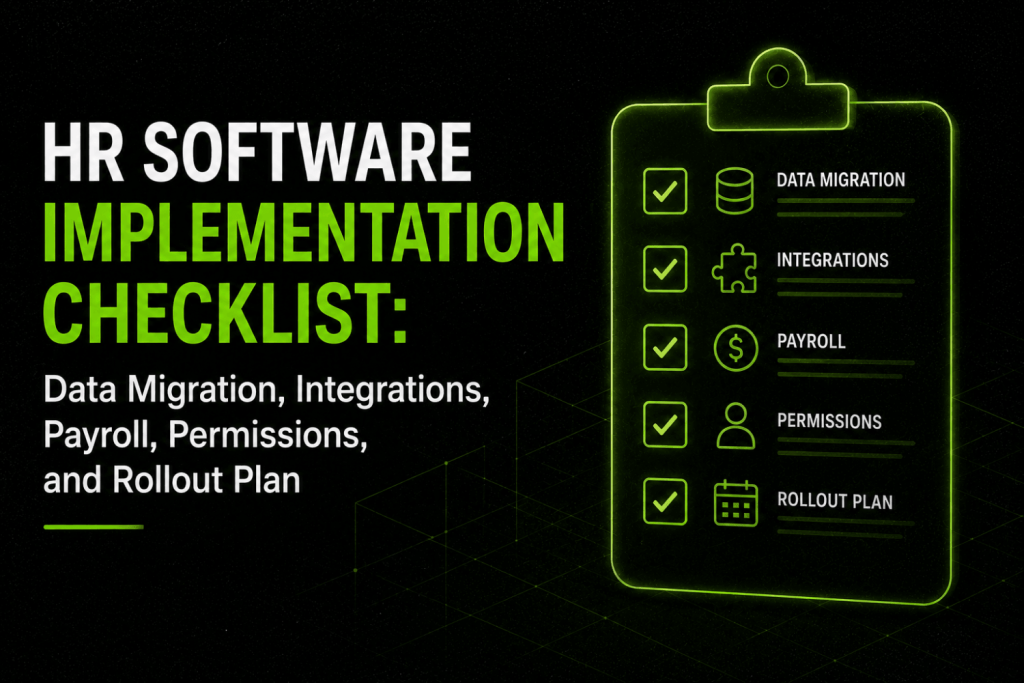
Most HR teams treat implementation as a project management exercise. Assign an owner, set a timeline, check boxes. That framing works fine for installing Slack. It does not work for an HRIS or payroll system where bad data means employees get paid wrong, managers see each other’s compensation, or a new hire falls through the cracks between the ATS and the HRIS on day one. This checklist covers the five phases where implementations actually break: data migration, integrations, payroll configuration, permissions, and rollout. Work through them in order and most of the common failure modes disappear.
What Does a Complete HR Software Implementation Actually Cover?
An HR software implementation is not a single event. It is a sequence of dependent phases, and each one has its own risk profile.
Phase one is discovery and data audit. Phase two is data migration. Phase three is system configuration, which includes integrations, permissions, and payroll setup. Phase four is testing. Phase five is rollout, training, and stabilization. Most project plans acknowledge all five phases. Most implementations underestimate phases one, three, and four.
The table below maps each phase to its primary risk and the most common mistake teams make.
| Phase | Primary Risk | Most Common Mistake |
|---|---|---|
| Discovery and Data Audit | Missing or inconsistent source data | Assuming existing records are accurate |
| Data Migration | Corrupt or incomplete employee records | Migrating dirty data without a cleanup pass |
| System Configuration | Misconfigured payroll rules or permissions | Copying old system logic without questioning it |
| Integrations | Broken data flows between systems | Testing only at the API level, not data quality level |
| Testing | Undiscovered edge cases surfacing after go-live | Testing happy paths only |
| Rollout and Training | Low adoption, shadow processes persist | No structured communication sequence |
Before you open a project management tool, two things must happen: assign a single internal owner with decision-making authority, and get a written commitment from your vendor on what their implementation team will own versus what falls on you. That boundary causes more mid-project confusion than almost anything else.
How Do You Audit and Prepare HR Data Before Migration?
Data migration is where implementations die quietly. The new system is only as good as the data you put into it, and most legacy HR systems contain years of accumulated inconsistencies: duplicate records, outdated job titles, missing termination dates, compensation fields that nobody has touched since 2019.
Step 1: Inventory every data source
Before you export anything, map where your people data actually lives. Common sources include your current HRIS or spreadsheets, your payroll provider, your ATS, benefits administration platforms, learning management systems, and any homegrown tools or shared drives your HR team built around gaps in the old system.
List each source, what data it holds, who owns it, and when it was last audited. This exercise almost always surfaces data that lives somewhere nobody expected.
Step 2: Define your canonical data model
The new system needs a single authoritative record for each employee. Before migration, decide which source wins when two systems disagree. For example: payroll is the source of truth for compensation and bank details; the HRIS is the source of truth for org structure and job titles; the ATS feeds start dates and initial job data.
Document these rules in writing before migration begins. Arguments about data ownership during migration slow projects by weeks.
Step 3: Clean before you migrate
Run at least these checks on every employee record before export:
- No duplicate employee IDs or SSN/NI numbers
- Legal name matches payroll and government records
- Current employment status is accurate (active, terminated, on leave)
- Job title and department map to your new system’s structure
- Manager relationships are correct and complete up the chain
- Compensation fields are populated and in the right format (annual vs. hourly)
- Pay group and pay frequency are assigned
- Start dates are accurate (mismatches break tenure calculations and vesting)
- Work location and tax jurisdiction are correct (critical for multi-state payroll)
- Benefits elections are current and tied to the correct plan year
This is not a one-hour task. Budget a full week for a company of 500 or more employees. If your data is in particularly bad shape, consider engaging an implementation partner. Our list of top HRIS implementation partners for mid-market companies covers firms that specialize specifically in data remediation and migration.
Step 4: Define your historical data scope
You do not need to migrate everything. Decide upfront how many years of historical payroll data, performance reviews, and time-off records you need in the new system versus archived in read-only format. Migrating too much historical data increases complexity and cost. Migrating too little means managers and employees cannot see their own history. A common middle ground: two to three years of payroll history in the active system, full archive accessible via export.
What Does an HR Data Migration Checklist Include?
Migration itself has three stages: export, transform, and load. Each one needs its own sign-off before you proceed to the next.
Export checklist
- Export is in a vendor-accepted format (CSV, XML, or via API)
- File encoding is standardized (UTF-8 to avoid character errors in names)
- All required fields are populated, not just the ones your old system made mandatory
- Sensitive data is handled according to your data processing agreements (GDPR, CCPA, state-level rules)
- Export timestamp is documented so you know exactly which snapshot you migrated
Transform checklist
- Field mapping document is complete: old system field name to new system field name, with data type and format noted
- Lookup values are translated (e.g., old department codes mapped to new department names)
- Date formats are standardized
- Salary figures are converted to a consistent format (monthly, annual, or hourly as required)
- Null or blank fields are handled explicitly, not left to default
Load checklist
- Load is done in a test environment first, never directly into production
- Record count in new system matches record count in export (variance report run)
- Spot checks completed on a minimum sample of 10% of records across each employee group (full-time, part-time, contractors, terminated)
- Org hierarchy renders correctly in the new system
- Pay history appears under the correct employee records
- Data validation errors from the load are documented and resolved before production load
A formal sign-off from both the HR lead and the payroll lead is required before you move from test load to production load. These are different sign-offs because they check different things.
What Are the Highest-Risk Payroll Implementation Steps?
Payroll is the piece of an HR implementation where mistakes have immediate, tangible consequences. Employees get paid wrong. Tax filings are late. Garnishments are missed. These are not recoverable situations in the same way a misconfigured performance review template is.
Map every payroll dependency before configuration
Before touching payroll configuration in the new system, document every rule that currently governs how your people are paid:
- All pay groups and their frequencies (weekly, bi-weekly, semi-monthly, monthly)
- Pay period cutoff dates and how they interact with time and attendance data
- Overtime rules by state, country, or employment classification
- All deduction types: benefits premiums, retirement contributions, garnishments, loan repayments
- All earnings codes: regular, overtime, shift differential, bonus, commission, expense reimbursement
- Tax withholding setup by jurisdiction (federal, state, local for US; PAYE for UK; superannuation for AU)
- Year-to-date (YTD) balances as of migration date, for every employee
- Employer contribution rules (benefits, retirement match)
YTD balances are the most commonly missed item. If you migrate in July and do not bring over YTD wages, your W-2s at year end will be wrong. This is not a technical problem; it is a documentation problem that the payroll lead must own explicitly.
Parallel payroll runs are non-negotiable
Run at least one full payroll cycle in parallel: process payroll in both the old system and the new system simultaneously, then reconcile the outputs line by line. Most teams run two parallel cycles before full cutover. The reconciliation should produce zero variance. Any discrepancy gets traced to root cause before you cut over.
Skipping parallel runs to save time is the single most common reason payroll go-lives go wrong. If your vendor’s implementation timeline does not include parallel runs, push back.
Payroll go-live checklist
- All employee YTD balances loaded and verified
- All tax jurisdictions configured and verified against current employee work locations
- All deductions mapped and tested with at least one affected employee in each deduction category
- Direct deposit bank details migrated and verified
- New pay period calendar confirmed against actual pay dates
- First payroll run in new system reconciled against previous period in old system
- Payroll approver workflow configured and tested
- Off-cycle payroll process documented and tested
- Tax filing connections (federal, state) confirmed active
- 401(k) or pension contribution file format accepted by the retirement plan provider
If you are handling payroll across multiple states or countries, the complexity multiplies significantly. Our coverage of the best payroll software for multi-state US companies goes deeper on jurisdiction-specific requirements worth reviewing before configuration begins.
How Should You Configure Permissions and Role-Based Access?
Permissions are treated as a final configuration step in most implementations. They belong in week one. Misconfigured access controls create two distinct failure modes: employees seeing data they should not (compensation, disciplinary records, medical information), and managers being blocked from data they need to do their jobs.
Map your permission model before configuration
Most HRIS platforms use role-based access control (RBAC). The roles you configure must reflect how your organization actually works, not how the vendor’s default template assumes it works. Start by answering these questions for each role in your system:
- What data can this role view? What can they edit?
- Which employee records can they access: their direct reports only, their full team hierarchy, everyone in their department, company-wide?
- What workflows can they initiate? Approve? View but not approve?
- Are there fields that must be hidden from this role entirely (e.g., salary hidden from peers)?
Map this in a spreadsheet before touching the system. Then configure, and then test with actual test accounts in each role. Do not rely on the vendor to tell you what their default roles do. Read the permission matrix yourself.
Standard roles that need explicit configuration
| Role | Typical Access Scope | Common Misconfiguration |
|---|---|---|
| Employee (self) | Own record, pay stubs, PTO balance, benefits | Can see own salary history but not peers’ |
| Manager | Direct reports’ records, performance, time off | Gets visibility into compensation without salary view being explicitly granted or restricted |
| HR Business Partner | Their assigned employee population, full record | Granted company-wide access when scope should be limited to their client group |
| HR Admin | All employee records, configuration, reporting | Too many people in this role; it should be two to three people maximum |
| Payroll Admin | Compensation, banking, tax data, pay runs | Combined with HR Admin role, creating unnecessary access overlap |
| Finance / Controller | Headcount, compensation totals, cost center reports | Given HR Admin access because it was easier than building a custom reporting role |
| Executive / CHRO | Aggregate analytics, org charts, workforce reports | Given full edit access they will never use and should not have |
Audit your permission configuration with a privacy or legal lens before go-live. In the EU, access to employee personal data is subject to GDPR purpose limitation. In the US, HIPAA-adjacent rules govern benefits medical data. These are not abstract concerns; they affect how you configure visibility of health-related fields in particular.
How Do You Map and Test HR System Integrations?
The average mid-market HR tech stack involves four to eight systems that need to exchange data: HRIS, payroll, ATS, time and attendance, benefits administration, learning management, identity and access management (IAM), and finance or ERP. Each integration is a potential failure point.
Integration inventory
Before go-live, every integration needs to be documented with these fields:
- System A and System B names and versions
- Direction of data flow (A to B, B to A, or bidirectional)
- Data fields being exchanged
- Trigger (real-time webhook, scheduled batch, manual export)
- Owner responsible for monitoring the integration
- What breaks downstream if this integration fails
- Error alerting mechanism
This document is your integration map. It should be a living document maintained after go-live, not a one-time exercise.
High-risk integrations to test thoroughly
HRIS to payroll is the highest-stakes integration in most stacks. A new hire created in the HRIS who does not flow to payroll does not get paid on their first check. A termination processed in the HRIS that does not trigger payroll cutoff creates overpayment liability. Test every employment status change: hire, termination, leave of absence, return from leave, transfer, compensation change.
HRIS to ATS matters at the hire event. When a candidate is converted to an employee, the right fields (start date, job title, department, manager, compensation) must flow without manual re-entry. Manual re-entry is how data discrepancies start. If you are evaluating or recently chose a new recruiting platform, our guide to the best HR software for mid-market companies covers which platforms have tight native ATS-to-HRIS integration versus which require third-party middleware.
HRIS to IAM (Okta, Azure AD, Google Workspace) is how employees get provisioned and deprovisioned. A terminated employee who retains system access is a security incident. Test termination flows specifically.
Integration testing checklist
- Every integration tested in a staging environment before production
- New hire flow tested end-to-end: ATS hire event to HRIS record to payroll enrollment to IAM provisioning
- Termination flow tested: HRIS termination to payroll cutoff to IAM deprovisioning, with timing verified
- Compensation change flow tested: HRIS update to payroll effective date
- Benefits enrollment data flow tested against carrier file format requirements
- Error handling tested: what happens when a record fails to sync? Does it alert someone?
- Data field mapping verified at the field level, not just connectivity
What Should a Pre-Go-Live Testing Plan Include?
Testing an HR system is not the same as testing a consumer app. The stakes of an undiscovered bug in payroll or permissions are significantly higher than a broken button in a UI. Testing must be structured, documented, and signed off by named individuals.
Three types of testing every implementation needs
User acceptance testing (UAT) involves real HR team members and managers working through their actual workflows in the system using real-ish data. UAT catches usability problems, configuration errors, and workflow gaps that technical testing misses. Plan for at least two weeks of UAT before go-live.
Parallel payroll testing means running the new payroll system alongside the old one and reconciling outputs. Every variance must be explained and resolved. This is not a configuration check; it is a data accuracy check.
Integration regression testing means running each integration end-to-end and confirming data arrived correctly in the destination system. Do this after any configuration change, not just at initial setup.
Test scenarios to include in your go-live checklist
- New hire: created in ATS, converted to employee, flows to payroll, receives first paycheck correctly
- Termination: processed in HRIS, final pay calculated correctly, benefits terminated on correct date, system access revoked
- Leave of absence: employee placed on leave, pay adjusted or stopped per policy, return from leave processed
- Promotion: compensation change, title change, manager change all reflected in payroll and org chart
- Multi-state employee: correct tax withholdings for each work state
- Part-time or hourly employee: overtime calculation and time import tested
- Benefits enrollment: employee election flows correctly to carrier
- Manager self-service: manager can view their team, cannot view peers’ compensation
- Employee self-service: employee can view their own pay stub, update their own address, request time off
- Report generation: standard headcount, turnover, and compensation reports run without errors
Document every test case with expected outcome versus actual outcome. Any test that does not produce the expected outcome is a defect that must be tracked to resolution before go-live, not after.
How Do You Build an HR Software Rollout Plan That Drives Adoption?
Rollout is not the same as go-live. Go-live is the moment the system is available. Rollout is the process of ensuring people actually use it correctly. These are different problems with different owners.
Phased rollout versus big-bang go-live
A phased rollout launches the system to a subset of users first, typically one location, one department, or one business unit. You catch configuration and adoption problems at smaller scale before rolling out company-wide. This approach costs time but significantly reduces go-live risk for companies above 300 employees.
A big-bang go-live launches to all users simultaneously. It is faster and simpler but gives you no buffer. For companies under 150 employees with clean data and a single pay group, big-bang is often the right call. For companies with multiple locations, multiple pay groups, or a complex permissions model, a phased approach is worth the extra four to six weeks.
Communication sequence for rollout
Employees who are surprised by a new HR system become resistant to it. A structured communication sequence prevents most of that resistance:
- Six weeks before go-live: All-company announcement explaining what is changing, why, and what employees will need to do. Be specific about what goes away (old system access, paper processes) and what stays the same.
- Four weeks before go-live: Manager briefing and training. Managers must be confident in the system before their teams see it. A manager who says “I don’t know how to use it either” in response to an employee question destroys adoption.
- Two weeks before go-live: Employee training, either live sessions, recorded walkthroughs, or both. Cover the specific tasks employees will need to do in the first 30 days: view pay stubs, request time off, update personal information, complete any open tasks.
- One week before go-live: Reminder with login instructions, support contact, and a clear answer to “what do I do if something is wrong.”
- Go-live day: Brief all-company message confirming the system is live with a single point of contact for questions.
- First 30 days: Weekly office hours or drop-in sessions. Monitor adoption metrics (login rates, self-service task completion). Proactively reach out to departments with low adoption.
Training by role
Not everyone needs the same training. HR admins need deep configuration training. Managers need workflow training (approvals, performance reviews, headcount management). Employees need self-service training. Payroll admins need payroll-specific training on the run schedule, approval flow, and off-cycle process.
Role-specific training is more effective than one-size-fits-all sessions and takes less time per person because it is scoped. Building out role-specific playbooks takes an extra week of prep but pays back in reduced support tickets post-launch.
For teams building out a broader onboarding process alongside an HRIS launch, our comparison of employee onboarding software platforms for scaling companies is worth reviewing, as some platforms handle both HRIS functions and structured onboarding workflows in a single tool.
What Should Happen in the 30 Days After Go-Live?
Go-live is not the end of implementation. It is the beginning of stabilization. The 30 days post-launch carry their own risk profile, and most implementations underresource this period.
Post-go-live checklist
- First payroll run in new system completed and reconciled against prior period
- All employee login rates tracked by department; non-logins followed up by manager
- Support ticket log reviewed weekly for patterns (the same question asked 10 times means a training gap)
- Integration error log reviewed; any failed syncs investigated within 24 hours
- Permissions audit: are any employees reporting access they should not have?
- Data quality spot checks: random sample of 25 employee records verified for accuracy
- Decommission timeline for old system confirmed: when does access get cut off, where does archived data live?
- Vendor account review scheduled: most implementations include a 30-day or 60-day check-in with the vendor’s customer success team; use it
The instinct after a painful implementation is to close the project and move on. Do not. The period between go-live and stabilization (usually 60 to 90 days) is when the most fixable problems surface. Staying in active implementation mode through that period is how you avoid a second implementation 18 months later.
Teams managing performance cycles through a new HRIS should also coordinate the rollout timing with their performance review calendar. Launching a new system two weeks before annual reviews is a common timing mistake. Our breakdown of performance management software for mid-market companies includes context on how HRIS and performance platform data flows interact.
How Do You Know if Your Implementation Is Actually Done?
Implementation is complete when the system is the system of record, not when the vendor closes the project. That means the old system is decommissioned (or formally archived with no active editing happening), all integrations are running without manual intervention, payroll has run correctly for at least two consecutive cycles, all employees have logged in at least once, and your HR team can answer “where does that data live” by pointing to one place.
If any of those conditions are not met, you are still in implementation. Name that explicitly rather than pretending the project is closed while your payroll admin still exports a spreadsheet to a legacy system every Friday.
Before committing to a go-live date, it is also worth reviewing your pre-purchase evaluation against what actually got built. Our HR software buying checklist of 75 questions to ask before choosing a platform maps neatly against implementation verification: every requirement you captured in the buying phase should have a corresponding test in your UAT plan.
Frequently Asked Questions
What is the first step in an HRIS implementation?
The first step is a data audit, not vendor onboarding. Before any configuration begins, you need to inventory every source of employee data, identify gaps and inconsistencies, and decide on a canonical data model (which system is the source of truth for each data type). Teams that skip this and begin configuration immediately spend weeks mid-project untangling data problems that could have been resolved in the first two weeks.
How long does an HR software implementation take?
Timeline varies significantly by company size, data quality, number of integrations, and whether you are migrating payroll. A basic HRIS implementation for a company under 200 employees with clean data typically takes six to twelve weeks. A full HRIS plus payroll migration for a company of 500 to 2,000 employees with multiple integrations typically takes four to nine months. Vendors often quote aggressive timelines. Build in buffer for data cleanup and parallel payroll runs.
What is a payroll parallel run and why is it required?
A parallel run means processing payroll in both the old system and the new system for the same pay period, then comparing the outputs line by line. Every employee’s gross pay, net pay, deductions, and taxes should match between the two systems. Discrepancies are traced to root cause and resolved before you cut over fully to the new system. Skipping this step is the leading cause of payroll errors on go-live, and payroll errors are among the most legally and operationally damaging mistakes an HR team can make.
What data needs to be migrated when switching HRIS platforms?
At minimum: all active employee records (personal information, employment status, job details, compensation, manager relationships), year-to-date payroll figures, historical pay records for the period you define, benefits elections, time-off balances, and org structure. Historical performance data, training records, and prior-year payroll data are optional depending on how far back you need visibility. Define your scope before migration begins, not during it.
How should HR software permissions be structured?
Permissions should follow the principle of minimum necessary access: each role gets access to exactly the data and workflows they need, nothing more. HR admins should number two to three people maximum. Payroll admins should be a separate role from HR admins. Managers should see only their direct report population by default. Finance should have reporting access to aggregate data, not individual employee records. Audit your permission model before go-live and again 90 days after with a privacy or legal lens.
What integrations does an HRIS typically need?
The most common required integrations are: payroll (if payroll is a separate system), ATS (for hire-to-employee conversion), benefits administration platforms, time and attendance systems, identity and access management (Okta, Azure AD, Google Workspace), and finance or ERP systems for headcount and cost center reporting. Each integration should be tested end-to-end in a staging environment before production go-live, covering not just connectivity but data field accuracy.
What is the biggest risk in HR data migration?
Migrating dirty data. Organizations routinely underestimate how inconsistent their existing HR records are, and migrating bad data into a new system does not fix it; it just moves the problem to a more expensive location. Duplicate records, missing manager relationships, incorrect employment statuses, and inaccurate YTD payroll balances are the most common culprits. A pre-migration data audit and cleanup pass is the highest-value investment in any implementation project.
Should you use an implementation partner or go direct with the vendor?
For implementations involving payroll migration, multiple integrations, or a company above 300 employees, an independent implementation partner adds real value. Vendor-side implementation teams are often stretched thin and optimized for speed to close, not for your specific configuration needs. Partners with experience in your industry or company size can catch configuration errors that vendor teams miss. For a straightforward HRIS implementation with clean data and no payroll migration, vendor-led implementation is usually sufficient.