
HR Tech SaaS may earn a commission when you buy through links on this page. Our recommendations are editorial and never paid for.
- Workforce planning software covers far more than headcount forecasting: the best platforms connect skills gaps, attrition risk, capacity modeling, cost projection, and business scenario planning in one place.
- The right tool depends on whether you need HR-led strategic planning, finance-led cost modeling, or a combined view that both teams can use without exporting to a spreadsheet.
- Purpose-built workforce planning platforms (Orgvue, Anaplan, Workday Adaptive Planning) handle complexity better than HRIS add-ons, but they carry enterprise price tags and long implementation cycles.
- Mid-market teams often get 80% of the value from lighter tools like Abacum, Planful, or a well-configured FP&A platform before they need a dedicated workforce planning suite.
- Integrations are the make-or-break factor: a planning platform that cannot pull live data from your HRIS and finance system produces plans that are outdated before they are presented.
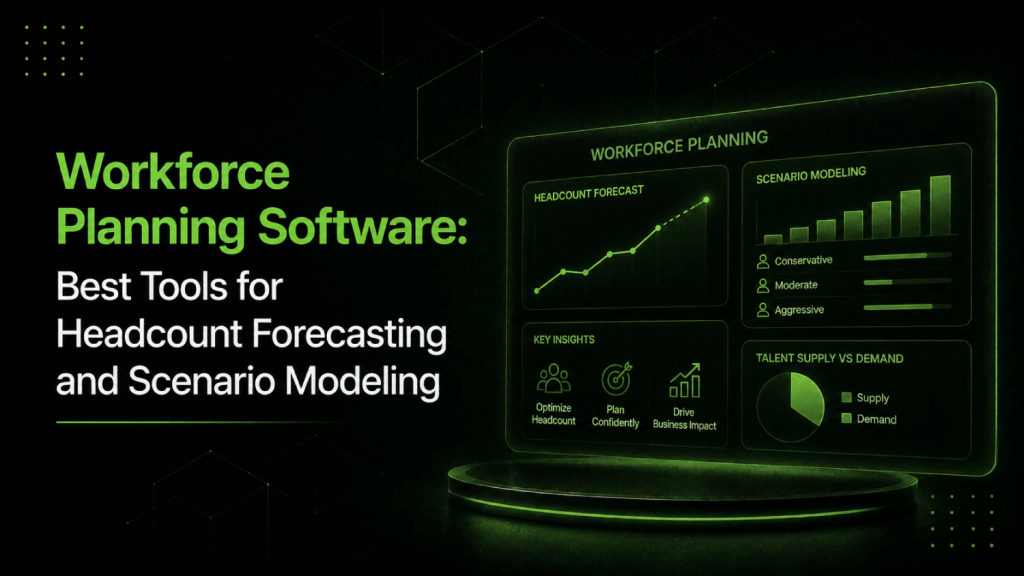
Workforce planning software lets HR and finance teams model headcount, skills, labor costs, and attrition together rather than separately. The best platforms combine scenario modeling, real-time data from your HRIS and ERP, skills inventory, and capacity planning so leaders can answer “what happens to our workforce cost if we miss revenue by 15%?” without building another spreadsheet. Standalone tools range from purpose-built strategic planning suites like Orgvue and Anaplan to integrated modules inside Workday and SAP SuccessFactors.
What Workforce Planning Software Actually Does (and What Most Buyers Assume It Does)
Most buyers come to this category looking for one thing: a better way to track and approve headcount. That is a legitimate problem, and headcount tracking is one component of what workforce planning software is built to solve.
The full scope includes skills gap analysis against a future operating model, attrition forecasting by role and tenure band, capacity modeling across business units, labor cost simulation tied to revenue scenarios, and internal mobility planning. When all of that connects, you can answer questions like “if engineering attrition runs at 18% next year, what does backfill cost us versus upskilling internally?” without three weeks of manual analysis.
The category sits at the intersection of HR and finance, which creates real buying friction. HR teams want a tool that reflects how people actually work. Finance teams want numbers that roll up into the P&L. Most platforms pick a side. The few that serve both charge accordingly.
Which Features Separate Real Workforce Planning Platforms from Glorified Headcount Trackers?
The features below separate tools that do strategic planning from tools that just count seats. Use this as a buying checklist before you sit through any demo.
| Capability | Basic Headcount Tool | Workforce Planning Platform |
|---|---|---|
| Headcount approval workflow | Yes | Yes |
| Role-level cost modeling | Sometimes | Yes |
| Scenario comparison (Plan A vs B vs C) | Rarely | Yes |
| Skills inventory and gap analysis | No | Yes (varies by vendor) |
| Attrition forecasting | No | Yes |
| Org design and span-of-control modeling | No | Yes |
| Live HRIS + finance data integration | No | Yes |
| Internal mobility and supply modeling | No | Sometimes |
Scenario modeling is the single most important differentiator. Any planning process that only has one version of the headcount plan is not planning, it is wishful thinking. Good platforms let you build parallel scenarios, assign assumptions to each, and compare outputs across cost, capacity, and time-to-hire dimensions simultaneously.
What Are the Best Workforce Planning Software Platforms?
The tools below cover the full range of the market, from enterprise strategic planning suites to mid-market FP&A platforms with strong workforce modules. Each entry specifies who the tool is built for, what it does well, and where it falls short.
Orgvue
Orgvue is the most purpose-built strategic workforce planning platform in this list. It is designed specifically for the HR and people strategy function rather than for FP&A. The platform connects workforce demand modeling (what roles and skills the business will need) with supply analysis (what you have internally and what attrition will erode) and then shows you the gap across scenarios.
Where Orgvue earns its price is in org design modeling. You can restructure reporting lines, adjust spans of control, and immediately see the cost and capacity impact. That matters when workforce planning is tied to a reorganization or a business unit redesign, not just a hiring cycle. The trade-off is implementation complexity: Orgvue is not a tool you configure in a week, and the learning curve for non-specialist HR teams is real.
Orgvue is best for CHROs and workforce planning teams at organizations with 1,000 or more employees who are doing genuine strategic planning rather than just headcount budgeting. Pricing is quote-based and enterprise-tier.
Anaplan
Anaplan positions itself as an AI-driven scenario planning and analysis platform that sits across HR, finance, and operations. The pitch is that Anaplan eliminates the disconnect between HR’s headcount plan and finance’s cost model by running both on the same data layer. That is accurate in practice: Anaplan’s connected planning architecture means that when a revenue assumption changes in the finance model, the headcount plan updates automatically.
The weakness is that Anaplan is genuinely complex to implement and requires trained model builders. Many organizations end up dependent on internal Anaplan specialists or implementation partners to maintain and update their models. For teams without that capacity, the investment can outpace the value.
Anaplan suits large enterprises where HR and finance planning are already tightly integrated processes and the organization can staff or contract the model-building function. Pricing is quote-based and varies significantly by user count and module selection.
Workday Adaptive Planning
Workday Adaptive Planning combines HR, finance, and operations planning in a single platform. The native integration with Workday HCM is the clearest differentiator: if you run Workday for HR, your workforce plan can pull live headcount, compensation, and skills data without a custom integration project. The scenario modeling is mature, and the reporting layer is accessible enough for HR leaders who are not FP&A analysts.
For teams already on Workday HCM, Adaptive Planning is the path of least resistance. For teams not on Workday, the integration advantage disappears and the platform competes on its own merits against Anaplan and Planful. Pricing is quote-based. For context on how Workday’s broader AI capabilities compare to SAP and Oracle, the Workday AI vs SAP Joule vs Oracle AI HR comparison covers the enterprise HCM space in detail.
SAP SuccessFactors Workforce Planning
SAP SuccessFactors includes workforce planning as part of its HCM suite, and for organizations already running SAP, it is the most integrated path available. The planning modules connect to SAP S/4HANA financial data, SuccessFactors employee records, and compensation data, which means demand modeling against business scenarios does not require a separate data warehouse or manual exports.
Where SAP SuccessFactors falls short relative to Orgvue is depth of org design modeling. Orgvue lets you restructure reporting hierarchies, adjust spans of control, and model the cost and capacity implications of specific structural changes in real time. SAP’s workforce planning module is stronger at connecting headcount to financial outcomes than at modeling organizational structure scenarios. Against Anaplan, SAP is less flexible in its scenario architecture: Anaplan’s model builder allows more complex, interdependent assumption trees, while SAP’s planning tools are more opinionated about structure.
The skills planning capabilities within SuccessFactors are meaningful for organizations already using the broader talent management suite, since skills profiles and learning completions feed into the planning layer. But for teams that want skills-based workforce planning as a primary capability rather than a secondary input, dedicated talent intelligence platforms like Beamery or Eightfold go considerably further.
Outside the SAP environment, the integration overhead increases substantially and the case for SuccessFactors as a standalone workforce planning purchase weakens. Evaluate it as a module decision if you are an existing SAP customer, not as a best-in-class standalone tool.
Visier
Visier is primarily a people analytics platform with strong workforce planning capabilities layered in. It excels at attrition prediction, diversity and equity modeling, and workforce segmentation analysis. The planning side allows scenario modeling on headcount and cost, but Visier’s greatest strength is connecting workforce data to business outcomes in ways that HR can present to a board without a statistics degree.
Visier is the right call when your primary need is analytics-first workforce intelligence with planning as a secondary function. If you need deep org design or supply-demand scenario modeling, you will hit its limits faster than with Orgvue or Anaplan. Pricing is quote-based. For a broader view of the people analytics category, the best AI people analytics platforms comparison covers Visier alongside its closest competitors.
Planful
Planful is an FP&A platform with a capable workforce planning module that mid-market finance and HR teams use together. It handles headcount budgeting, role-level cost modeling, and scenario comparison well. The HR-specific features are thinner than Orgvue or Visier, but the finance integration and usability are strong enough that many teams in the 200-to-1,000 employee range choose it over heavier enterprise platforms.
Planful makes most sense when the finance team is driving the workforce planning process and HR needs to participate in the model rather than own it. If HR wants to lead with skills and capacity analysis, Planful is not the right anchor.
Abacum
Abacum is a finance planning platform built for high-growth companies. It targets teams that have outgrown spreadsheets but are not ready for Anaplan-scale complexity. The headcount planning module covers requisition tracking, cost-by-role modeling, and department-level scenario building.
Abacum is a strong pick for scaleup-stage companies (roughly 100 to 800 employees) where the CFO and HR lead are collaborating on workforce cost but do not need org design or skills gap analysis yet. It does not compete on strategic workforce planning depth, but for what it does, the implementation is fast and the interface is clean.
Beamery
Beamery approaches workforce planning from the talent intelligence angle. Its workforce planning features are built around skills ontology, internal talent supply modeling, and external market intelligence. Where Orgvue and Anaplan model cost and capacity, Beamery models talent: who do you have, what skills do they have, what is the external market for the skills you need, and what roles can you fill internally before going to market.
For organizations that want skills-based workforce planning rather than cost-based headcount planning, Beamery is one of the strongest options in the market. The best talent intelligence platforms comparison covers Beamery alongside Eightfold, Gloat, and Findem for buyers evaluating this approach. Pricing is quote-based and enterprise-tier.
Eightfold AI
Eightfold’s workforce exchange product combines AI-driven talent intelligence with workforce planning capabilities, particularly around skills inference and internal mobility. Its workforce planning use case is strongest when the organization is doing skills-based planning rather than role-based planning: modeling which skills the business needs in three years versus which specific job titles to hire for. Pricing is quote-based and enterprise-tier.
Paylocity
Paylocity includes a headcount planning tool as part of its HRIS platform. It is not a strategic workforce planning platform in the Orgvue or Anaplan sense, but for mid-market HR teams that want headcount forecasting integrated with their core HR system without a separate platform purchase, it is a practical option. The planning features cover headcount approvals, cost-per-hire tracking, and basic forecasting.
How to Evaluate Workforce Planning Software: A Buyer’s Framework
Before you build a vendor shortlist, get clear on three things: who is driving the process (HR, finance, or both), what operating cadence you are planning to, and what data sources need to connect.
Step 1: Establish Who Owns the Plan
If finance owns the workforce plan and HR executes it, an FP&A platform with a strong workforce module (Planful, Adaptive Planning, Anaplan) is the right anchor. If HR owns strategic workforce planning with skills and capacity at the center, a dedicated HR-first platform (Orgvue, Visier, Beamery) is a better fit. Buying the wrong type creates a tool that one team loves and the other ignores.
Step 2: Define Your Planning Cadence
Annual planning tools are structured around budget cycles. Rolling forecast tools update continuously. Most organizations need both: a longer-horizon strategic plan (one to three years) and a shorter-horizon operational plan (quarterly). Not every platform supports both cadences equally well. Ask vendors specifically how customers manage the transition between strategic and operational planning inside their product.
Step 3: Map Your Integration Requirements
A workforce plan built on stale data is worse than no plan, because it creates false confidence. Before evaluating any platform, list every system that feeds your workforce data: your HRIS, your ATS, your ERP or finance system, your payroll platform, and any skills or learning systems. Then verify which integrations each vendor supports natively versus via third-party connectors versus via flat-file export. Native integrations that update automatically are the standard you want.
Step 4: Evaluate Scenario Modeling Depth
Ask vendors to show you how they model three specific scenarios that match your business: a headcount freeze with backfill exceptions, a 20% growth scenario, and a skills transition scenario where current roles evolve rather than new ones are created. The ease with which a vendor demonstrates those three scenarios tells you more about the product than any feature list.
Step 5: Pressure-Test Implementation Timelines
Enterprise workforce planning platforms routinely take six to nine months to implement properly. Some take longer. Ask for references from organizations at your size and complexity who can speak to go-live timelines and the resources required. The HR software implementation checklist covers the questions you should ask before any platform deployment, including workforce planning tools.
Workforce Planning Software Comparison: Feature Matrix
| Platform | Best For | Scenario Modeling | Skills Planning | Cost Forecasting | HR + Finance Integration | Pricing |
|---|---|---|---|---|---|---|
| Orgvue | Strategic HR-led planning | Strong | Strong | Moderate | Good | Quote-based |
| Anaplan | Enterprise connected planning | Very strong | Moderate | Very strong | Very strong | Quote-based |
| Workday Adaptive Planning | Workday HCM customers | Strong | Moderate | Strong | Native (Workday) | Quote-based |
| Visier | Analytics-first workforce intelligence | Moderate | Good | Moderate | Good | Quote-based |
| Beamery | Skills-based workforce planning | Moderate | Very strong | Weak | Moderate | Quote-based |
| Planful | Finance-led mid-market teams | Good | Weak | Strong | Strong (finance) | Quote-based |
| Abacum | Scaleup FP&A + headcount | Moderate | Weak | Good | Good (finance) | Quote-based |
| Eightfold AI | Skills inference + internal mobility | Moderate | Very strong | Weak | Moderate | Quote-based |
| Paylocity | Mid-market HRIS + basic headcount | Weak | Weak | Moderate | Good (HRIS) | Per employee/month |
What Does Headcount Forecasting Software Actually Model?
Headcount forecasting software answers three questions: how many people will you need, when, and in which roles or functions. The inputs that drive a credible forecast include hiring plan assumptions, attrition rates by tenure and role, internal promotion velocity, and the time-to-fill for open positions.
The tools that do this well let you vary each assumption independently and see the compounding effect. If your engineering attrition rate increases from 12% to 18% and your average time-to-fill is 60 days, a good platform shows you the capacity shortfall that creates across quarters before it becomes a crisis. That is the gap between a headcount tracker and a forecasting tool.
Attrition modeling is where many mid-market teams still rely on judgment rather than data. Platforms like Visier and Orgvue apply regression models against your historical attrition data, segmented by tenure band, function, manager, and compensation positioning, to generate attrition probability scores by cohort. That is a material upgrade from “we assume 10% attrition annually” applied uniformly across the whole company.
How Does Scenario Modeling Work in Workforce Planning Platforms?
Scenario modeling in workforce planning works by letting you define a set of business assumptions, calculate the workforce implications, and compare the outcomes side by side. A realistic scenario might look like this: revenue grows 25% over 18 months, the business expands into two new markets, and the product team needs to double. What does the organizational structure look like, what does it cost, and where are the skills gaps?
The better platforms allow you to build three or four scenarios in parallel, assign different probability weights, and then present a range of outcomes rather than a single point forecast. That range is what makes the conversation with a board or CFO credible: you are not guessing, you are showing the cost and capacity implications of each strategic choice.
Anaplan is the strongest in this area for large enterprises because its modeling architecture allows truly connected assumptions: change a revenue input and every downstream workforce cost model updates automatically. Orgvue is stronger when the scenario is organizational rather than financial: restructuring a function, changing spans of control, or modeling a merger integration.
How Do Skills-Based Workforce Planning Tools Differ from Headcount Planning Tools?
Traditional headcount planning models the organization by job title and FTE count. Skills-based workforce planning models it by capability: what skills does the business need to execute its strategy, which employees have them today, and where are the gaps between current supply and future demand.
This distinction matters because most organizations will not fill their future skills needs entirely through hiring. Internal mobility, upskilling, and role redesign are faster and cheaper for many skill categories than external recruitment. But you cannot identify those internal pathways without a skills inventory that goes beyond job titles.
Beamery, Eightfold, and Gloat are the most mature platforms for skills-based planning. They use AI to infer skills from work history, project assignments, and learning completions rather than requiring employees to self-report skills manually. The best AI internal mobility platforms covers how these tools connect skills data to internal hiring decisions, which is the execution layer that follows a skills-based workforce plan.
Should You Buy a Dedicated Workforce Planning Platform or Use Your HRIS Module?
For companies under 500 employees, your HRIS module or an FP&A tool is almost always enough. You do not have the data volume, planning complexity, or the headcount planning team to justify a purpose-built platform like Orgvue or Anaplan. Paylocity, Rippling, or BambooHR’s built-in reporting combined with a solid FP&A tool handles 80% of what you need.
Between 500 and 1,500 employees, the answer depends on whether you have a dedicated workforce planning function. If HR and finance are doing annual headcount planning in spreadsheets and calling it strategic workforce planning, a dedicated tool creates real value. If the organization is not yet doing the process, the tool will not create the discipline.
Above 1,500 employees with genuine planning complexity, multiple business units, and high turnover in critical roles, a dedicated platform almost always pays back. The cost of one bad reorg that a proper org design model would have caught typically exceeds the platform license by a significant margin.
For a broader view of what an HR software stack looks like at different size thresholds, the best HR software platforms for mid-market companies covers which HRIS platforms include meaningful workforce planning capabilities as part of the core product.
What Questions Should You Ask Vendors Before Buying Workforce Planning Software?
The questions below are designed to surface the gap between what a vendor demonstrates and what actually works at your scale. Add them to any demo process.
- How does your platform handle a mid-year re-plan when business assumptions change? Walk me through that workflow specifically.
- Which HRIS platforms do you integrate with natively, and what does “natively” mean in your contract? Does the data sync automatically or does someone have to initiate it?
- Can HR and finance users work in the same model simultaneously, and what does version control look like when assumptions conflict?
- What does the implementation look like for a company at our size? Who from our side needs to be involved and for how many hours per week?
- How do you handle skills data? Do you require self-reported skills or do you infer them from other data sources?
- Can you show me how attrition is modeled by cohort, not just as a company-wide percentage?
- What does a scenario comparison report look like, and who in our organization can generate one without vendor support?
For a complete vendor evaluation framework beyond workforce planning, the AI HR vendor evaluation checklist covers the 50 questions CHROs should ask before committing to any enterprise HR platform.
Frequently Asked Questions About Workforce Planning Software
What is workforce planning software?
Workforce planning software helps organizations model future workforce needs across headcount, skills, cost, and capacity. The best platforms connect HR data, finance assumptions, and business strategy so teams can model multiple scenarios, identify skills gaps, forecast attrition, and simulate the cost of different organizational structures. It is distinct from simple headcount tracking or HRIS reporting because it involves forward-looking scenario analysis rather than historical data review.
What are the best workforce planning tools for mid-market companies?
For mid-market companies (roughly 200 to 1,500 employees), the strongest options are Workday Adaptive Planning for teams already on Workday HCM, Planful or Abacum for finance-led headcount planning, and Visier for analytics-first workforce intelligence. Purpose-built platforms like Orgvue are best reserved for organizations with dedicated workforce planning functions and enough data complexity to justify the implementation investment. HRIS platforms like Paylocity cover basic headcount planning without a separate purchase.
How does scenario modeling work in workforce planning?
Scenario modeling in workforce planning lets you define a set of business assumptions (growth rate, attrition rate, expansion plans) and calculate the workforce, cost, and capacity implications of each. Platforms like Anaplan and Orgvue let you run three or four scenarios simultaneously and compare outputs side by side. The key capability is connected assumptions: changing a single input like revenue growth should automatically update downstream workforce cost projections without manual recalculation.
What is the difference between headcount planning and strategic workforce planning?
Headcount planning answers how many people you need and in which roles, usually tied to a budget cycle. Strategic workforce planning is broader: it addresses which skills the organization needs to execute its three-to-five year strategy, how current workforce supply compares to future demand, what internal mobility and upskilling can close versus what requires external hiring, and what each path costs. Strategic workforce planning includes headcount planning but adds skills analysis, org design, and multi-year horizon modeling.
How much does workforce planning software cost?
Almost every enterprise-grade workforce planning platform, including Orgvue, Anaplan, Workday Adaptive Planning, Visier, and Beamery, is priced on a quote basis and does not publish pricing publicly. Costs vary significantly by employee count, module selection, and integration complexity. Mid-market FP&A tools like Planful and Abacum also use quote-based pricing. Paylocity, as an HRIS with included headcount planning features, charges on a per-employee-per-month basis, though the specific rate depends on the package selected. Budget conversations with enterprise vendors typically start at meaningful five-figure annual contracts and scale up from there.
Can workforce planning software integrate with my HRIS and finance systems?
Integration capability varies significantly by vendor. Workday Adaptive Planning integrates natively with Workday HCM and updates automatically. SAP SuccessFactors planning modules connect natively within the SAP environment. Orgvue and Anaplan both support integrations with major HRIS platforms including Workday, SAP, Oracle HCM, and ADP, but the depth of those integrations depends on the specific data points you need. Before signing any contract, verify whether your required integration is native, connector-based, or flat-file, since the operational burden of maintaining each type is very different.
Do workforce planning platforms support skills-based planning?
Some do, some do not. Beamery, Eightfold, and Gloat are purpose-built for skills-based workforce planning and use AI to infer skills from employee data rather than relying on self-reporting. Orgvue includes skills gap analysis within its demand-and-supply modeling framework. Anaplan and Planful are stronger on the cost and capacity side and treat skills as a secondary data dimension rather than a primary planning input. If skills-based planning is your primary requirement, shortlist talent intelligence platforms alongside traditional workforce planning tools.
The Buying Decision You Are Actually Making
Workforce planning software is not one category. It is at least three: strategic HR-led planning tools (Orgvue, Beamery, Eightfold), connected financial planning platforms (Anaplan, Workday Adaptive Planning, Planful), and analytics-first intelligence tools (Visier). The mistake most buyers make is evaluating all three as if they solve the same problem, then getting surprised when the tool they chose is excellent at one dimension and weak at the two they actually needed.
Start by being honest about whether your organization is doing strategic workforce planning or sophisticated headcount tracking. Most companies under 1,000 employees, and many above it, are doing the latter and would get more value from improving their data and process before buying an enterprise platform. A clean HRIS with good reporting and a finance team that actually uses the headcount model beats an underused Anaplan implementation every time.
If you have outgrown that and are genuinely modeling skills supply against three-year business scenarios, the investment in a purpose-built platform is justified. The vendors in this space are not interchangeable. Pick the one whose primary design point matches your primary problem, and be skeptical of any vendor who claims to be equally strong at financial modeling, skills ontology, and org design. The honest ones will tell you where they are weaker.