
- AI agents can resolve a large share of routine HR service tickets autonomously, but the boundary between safe automation and risky automation is not obvious from a vendor demo.
- The workflows that break badly when AI gets them wrong tend to be the ones vendors showcase most aggressively: benefits questions, accommodation requests, leave policy, and anything touching compensation.
- Knowledge quality, escalation logic, and case ownership rules matter more than the underlying AI model. A sophisticated agent running on stale or ambiguous policy content will confidently give wrong answers at scale.
- This guide draws a hard line between automatable HR service workflows and those that require human judgment, audit trails, or legal accountability.
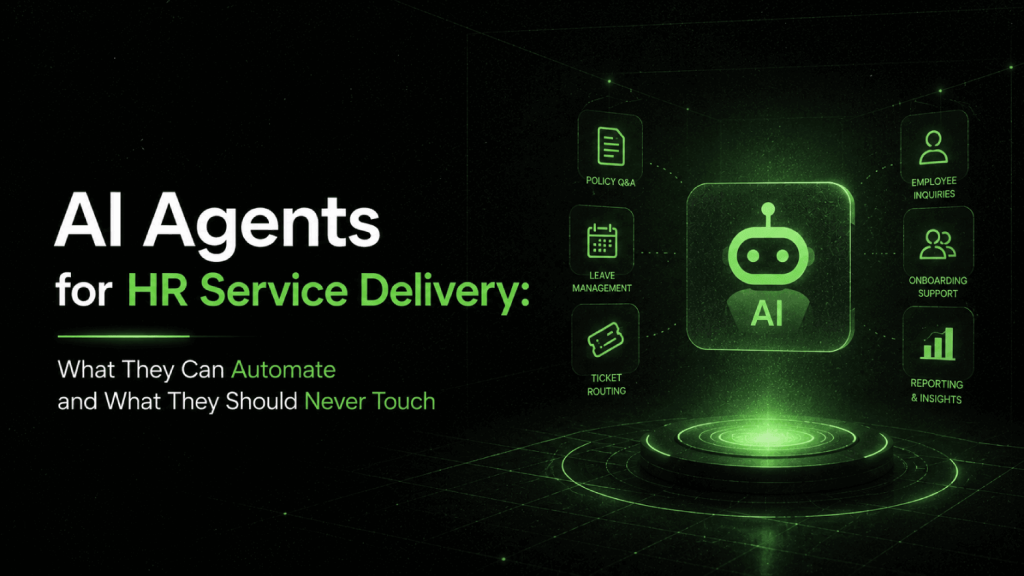
AI agents for HR service delivery can automate routine employee requests, such as policy lookups, document retrieval, PTO balance inquiries, and onboarding task reminders, without human involvement. They should not autonomously resolve requests involving accommodation assessments, disciplinary matters, compensation disputes, mental health disclosures, or any workflow where a wrong answer creates legal liability. The difference is not capability; it is accountability and consequence severity.
Why Most HR Teams Are Drawing the Automation Line in the Wrong Place
The default framing from most vendors is volume reduction. Deploy an AI agent, deflect tickets, free up your HR team. That framing is not wrong, but it is incomplete in a way that causes real problems.
HR service delivery sits at an unusual intersection: high transaction volume (which makes automation appealing) and high consequence when something goes wrong (which makes bad automation expensive). A wrong answer about a vacation policy is annoying. A wrong answer about an ADA accommodation process, a FMLA eligibility question, or a severance calculation is a liability event.
Most HR ops leaders deploying AI agents are thinking about the first type of question. They have not systematically mapped their ticket categories to consequence severity before choosing what to automate. That is the gap this guide addresses.
What Actually Counts as an AI Agent in HR Service Delivery?
The term gets applied to tools ranging from keyword-matching FAQ bots to multi-step agentic systems that can query your HRIS, draft responses, update records, and route cases. The distinction matters because the risk profile is completely different.
A retrieval-augmented chatbot pulls from a knowledge base and surfaces an answer. It is essentially a search interface. An AI agent, in the more precise sense, takes action: it reads the employee’s context, determines next steps, executes tasks across connected systems (HRIS, payroll, ticketing), and either resolves the case or routes it with a summary.
Platforms like ServiceNow HRSD, Workday Help, and Moveworks have all introduced agentic capabilities that go beyond simple FAQ deflection. Rezolve.ai and Leena AI operate specifically in the HR helpdesk automation space. The architecture matters when you are deciding what to automate: a retrieval-only system and a full agentic system need different governance rules.
For a broader look at the chatbot end of this spectrum, the best AI HR chatbots for employee support covers the tool landscape in detail. This guide focuses on the workflow design decisions, not the vendor selection.
Which HR Service Workflows Are Safe to Automate?
Safe automation has three characteristics: the correct answer is deterministic (it does not require judgment), the system can verify its own answer against a source of truth, and a wrong answer has a low or easily correctable consequence.
The following categories meet that bar:
Policy and Procedure Lookups
Employees asking “how many vacation days do I accrue in year two?” or “what is the expense reimbursement process?” are looking for documented facts. If your knowledge base is accurate, an AI agent can retrieve and surface the right answer without risk. The agent is essentially doing structured search, not making a decision.
The caveat: this is only safe if your knowledge base is maintained. Stale policies, conflicting documents, or multi-jurisdiction complexity (different rules for employees in California versus Texas versus the UK) can cause the agent to give a confident wrong answer. Knowledge governance is the prerequisite, not an afterthought.
Document and Form Retrieval
Requests for W-2s, pay stubs, offer letter copies, direct deposit forms, and benefits enrollment documents are high-volume, low-risk, and fully automatable. The agent authenticates the employee, verifies entitlement, and delivers the document. No judgment required.
Status and Balance Inquiries
PTO balances, benefit enrollment status, 401(k) contribution rates, and reimbursement claim status can all be answered by an agent querying live HRIS data. These are read-only, factual responses. The integration quality matters more than the AI quality here.
Onboarding Task Orchestration
Sending reminders, tracking completion of I-9 forms, benefits enrollment deadlines, and required training modules is a workflow management problem. An AI agent can monitor completion status, send proactive reminders, answer questions about each task, and escalate blockers without needing any judgment about outcomes. This is one of the highest-ROI automation targets in HR service delivery.
Routine Data Change Requests
Address changes, preferred name updates, and emergency contact updates are transactional. An agent can accept the request, apply business rules (does this require manager approval?), route for approval if needed, and confirm completion. The logic is rules-based, and the downside of a processing error is low and reversible.
Benefits Open Enrollment Guidance
Explaining plan options, comparing deductible structures, and walking employees through enrollment steps is automatable as a guided workflow. The critical constraint: the agent must be presenting documented options and not advising on what the employee should choose. Plan comparison is fine. Personalized recommendations about coverage adequacy are not, and most benefits platforms draw this line explicitly.
Which HR Service Workflows Should Never Be Fully Automated?
The following categories share a common thread: either the correct answer requires contextual judgment, the stakes of a wrong answer are legally significant, or the employee’s experience of the interaction matters as much as the informational content.
Accommodation and Leave Requests (ADA, FMLA, and Equivalents)
This is the highest-risk automation target in HR service delivery, and it is also one vendors frequently demo because the workflow volume is high. An employee requesting an ADA accommodation or asking about FMLA eligibility is initiating a process with legal obligations attached. The employer’s response, including how quickly it responds and what it says, creates a legal record.
An AI agent can receive the request and acknowledge it. It can surface the correct forms and explain the process. It cannot assess whether an accommodation is reasonable, whether a condition qualifies under the ADA, or what the interactive process should look like. Those determinations require a human with accountability. Automating past the intake step creates risk.
Disciplinary Matters, PIPs, and Terminations
Any service request touching active performance issues, performance improvement plans, or termination logistics needs a human owner. An employee asking “I just received a PIP, what are my rights?” deserves a real HR person, not a retrieval agent summarizing policy. The emotional stakes and legal implications of getting this wrong are too high.
Even the informational component is risky here. Policy language around disciplinary procedures is often written for HR professionals, not employees, and an AI agent surfacing technically accurate language without context can increase confusion or perceived bad faith.
Mental Health and Wellbeing Disclosures
Employees sometimes disclose mental health concerns, suicidal ideation, or crisis situations through HR service channels. This happens more often than HR teams expect, particularly through chat interfaces that feel lower-stakes than a direct conversation. An AI agent that does not recognize a crisis disclosure and routes the interaction as a routine wellness benefits question is not just unhelpful; it is actively harmful.
Every AI agent deployment in HR service delivery needs a clear escalation trigger for mental health language. The agent should stop, acknowledge the employee, and connect them immediately to a human or a crisis resource. This is not optional.
Pay Disputes and Compensation Questions
An employee who believes their paycheck is wrong or that they are being paid inequitably is not looking for a policy document. They are in a situation where a wrong AI response, such as an incorrect explanation of how overtime is calculated or a misreading of their pay stub, can escalate into a wage claim. These cases need a human who can access the payroll system with full context, verify the calculation, and communicate authoritatively.
Pay transparency questions and compensation band inquiries sit in a gray zone. In jurisdictions where salary ranges must be disclosed (Colorado, New York, California, the UK), an agent can accurately surface the documented range. Comparative questions (“am I paid fairly relative to my peers?”) cannot be answered by an agent and should not be.
Harassment and Discrimination Complaints
This one should be obvious, but HR service platforms are sometimes configured with “report a concern” workflows that route through an AI triage layer. An AI agent triaging harassment complaints creates documentation, compliance, and trauma-related risks that no efficiency gain justifies. Intake must be human. Full stop.
Visa, Immigration, and I-9 Compliance Questions
Immigration status questions carry high legal consequence and frequent factual complexity. An employee on an H-1B asking about their work authorization window, or a manager asking about I-9 re-verification requirements, is in territory where an incorrect AI answer can create visa violations or unlawful employment situations. These must route to HR or legal directly.
How to Map Your HR Ticket Categories Before You Configure Anything
Before deploying an AI agent, pull three to six months of HR service tickets and categorize them across two dimensions: resolution complexity and consequence severity.
| Ticket Category | Resolution Complexity | Consequence of Error | Automation Recommendation |
|---|---|---|---|
| PTO balance inquiry | Low | Low | Fully automate |
| Pay stub / W-2 retrieval | Low | Low | Fully automate |
| Onboarding task reminders | Low | Low | Fully automate |
| Benefits plan comparison | Medium | Low to medium | Automate with human escalation path |
| FMLA / leave request intake | Medium | High | AI intake only; human handles assessment |
| Paycheck dispute | Medium to high | High | AI triage only; route to payroll immediately |
| ADA accommodation request | High | Very high | AI intake only; legal/HR owns process |
| Disciplinary or PIP question | High | Very high | No automation; human owner required |
| Harassment or discrimination complaint | High | Very high | No automation; direct human intake |
| Mental health / crisis disclosure | High | Critical | Immediate escalation trigger; no AI response |
In our analysis of HR service ticket distributions, routine low-complexity requests , policy lookups, document retrieval, balance inquiries, and onboarding task management , tend to represent the largest share of total volume by ticket count. The remaining volume includes cases that require some human involvement, either for triage, assessment, or full resolution. Vendors who claim specific automation percentages are typically counting only the ticket types already suited to automation, not all tickets in scope.
What Makes Escalation Logic Work in Practice?
Most failed AI agent deployments in HR service delivery fail at escalation, not at the underlying AI model. Three problems repeat consistently.
The first is unclear ownership after handoff. When an AI agent escalates a case, something must assign a human to pick it up within a defined SLA. Without that assignment logic, cases sit in a queue and employees feel abandoned. The agent’s failure to resolve becomes the HR team’s failure to follow up, and the employee experience is worse than if no automation existed.
The second is inadequate context transfer. When the agent escalates, it must pass the full interaction history, the employee’s identity, the case category, and any relevant HRIS data to the human owner. An HR business partner receiving an escalated case with nothing but “employee had a question about leave” is starting from scratch. Good escalation means the human can read the context in 30 seconds and respond meaningfully.
The third is false confidence before escalation. Agents that attempt an answer to something outside their competence, fail, and then escalate are worse than agents that recognize the boundary immediately and route without attempting a response. Prompt engineering and intent classification need to be calibrated so the agent routes high-risk categories on first contact rather than after a failed attempt.
If you are assessing vendors on this dimension, the AI HR vendor evaluation checklist includes specific questions to ask about escalation architecture, human handoff quality, and SLA enforcement.
Why Knowledge Quality Is the Real Constraint on HR Service AI
No AI agent in HR service delivery is more reliable than the knowledge base it draws from. This point gets mentioned in every vendor implementation guide and ignored in most actual deployments.
The practical problem: HR policy content is rarely written to be machine-readable. It lives in PDFs, intranet pages, email threads, and SharePoint folders with inconsistent naming, overlapping versions, and jurisdiction-specific carve-outs buried in footnotes. An agent trained or retrieval-augmented on this content will surface conflicting answers, outdated figures, and partial responses with full confidence.
Before activating an AI agent for any ticket category, audit the knowledge content for that category against three criteria: accuracy (is the policy current?), completeness (does it cover the employee’s likely follow-up questions?), and jurisdiction clarity (does the content make explicit which rules apply to which employee populations?). If any criterion fails, automate nothing in that category until the content is fixed.
This is not a one-time effort. Benefits plans change annually. Leave laws change by state and country. Pay transparency requirements are expanding across US states, the UK, and the EU. A knowledge governance process, with ownership assigned to specific HR team members, is the operational prerequisite for any AI agent deployment that is expected to remain accurate over time.
Audit Trails, Data Privacy, and Compliance Considerations
AI agents interacting with employees about HR matters generate data: conversation logs, case notes, resolution records, and sometimes sensitive personal information disclosed in the course of a query. This creates obligations that many early-stage deployments do not account for.
Under GDPR, CCPA, and equivalent frameworks, employees have rights to access, correction, and deletion of personal data held by the organization, including data generated through AI-assisted service interactions. Conversation logs from an HR AI agent are covered. Your data retention policy needs to address them explicitly.
Case documentation matters separately from privacy. For any workflow that could touch a legal claim, such as leave requests, accommodation discussions, or payroll disputes, the AI interaction log is potentially discoverable. It should be stored with the same rigor as traditional HR case records. Platform selection matters here: not all HR service delivery tools generate audit-quality logs by default.
For teams assessing AI compliance posture more broadly, the considerations in AI HR compliance and bias audit tools apply directly to service delivery agents, particularly around documentation and explainability requirements.
How AI Agents in HR Service Delivery Connect to Your Broader HR Stack
An AI agent operating in isolation from your HRIS, payroll system, and case management platform cannot do much beyond retrieve text. The integrations are what create the capability gap between a chatbot and a genuine service agent.
At minimum, a functional HR service AI agent needs read access to employee records from your HRIS (tenure, role, location, benefit enrollments), access to policy content managed in a knowledge base, and write access to a case management system to create, update, and close tickets. Most enterprise deployments also connect to payroll for balance and payment status inquiries and to your LMS for training completion data.
If you are running Workday, SAP SuccessFactors, or Oracle HCM, the native AI service delivery capabilities in those platforms (Workday Help, SAP Joule for service requests, Oracle HR Help Desk) benefit from tight HRIS integration but can create lock-in and limit your ability to route tickets to best-of-breed case management tools. The comparison of Workday AI, SAP Joule, and Oracle AI for HR covers this trade-off in detail for enterprise HCM buyers.
For mid-market companies building their HR stack with service delivery in mind, the best HR software platforms for mid-market companies covers HRIS options that include native service delivery capabilities.
What a Well-Governed HR Service Delivery AI Deployment Actually Looks Like
Here is what the operational model looks like when it is working correctly, not as a vendor demo, but as a live system with real employees.
The agent handles all tier-one volume: balance inquiries, document retrieval, policy lookups, onboarding task status, and routine data changes. Resolution happens without HR team involvement. A human reviews sampled conversations weekly to catch knowledge base gaps or misclassified intents.
For tier-two requests, the agent completes intake, routes with full context to an HR business partner or specialist, and sets an SLA reminder. The employee receives an acknowledgment that their case is assigned and an estimated response time. The HR team sees a prioritized queue with context attached.
High-risk categories never touch the AI resolution layer. The agent recognizes the category, acknowledges the employee immediately, and routes to a human owner within minutes. The conversation log is preserved and attached to the case record.
Knowledge content has an owner per category and a quarterly review cycle tied to policy change events. When a policy changes, the update goes to the knowledge base before the agent is re-enabled for that topic.
This is not a complex architecture. It is a disciplined one. Most organizations that struggle with HR service AI do not lack sophisticated technology; they lack the governance layer that makes the technology trustworthy.
If your organization is in the process of selecting or implementing the underlying HR platform that will host these workflows, the HR software implementation checklist covers the data, permissions, and integration groundwork that service delivery AI depends on.
Frequently Asked Questions
What is HRSD and how do AI agents fit into it?
HRSD stands for HR Service Delivery, a term for the systems and processes organizations use to handle employee requests, questions, and cases. It includes HR helpdesks, case management platforms, knowledge bases, and employee self-service portals. AI agents fit into HRSD by automating the intake, triage, and resolution of employee requests, particularly high-volume, low-complexity queries that do not require human judgment. The most common platforms in this space include ServiceNow HRSD, Workday Help, and dedicated tools like Moveworks and Rezolve.ai.
What percentage of HR tickets can AI agents realistically automate?
Vendor claims vary significantly depending on how “automation” is defined, and no independently verified industry-wide benchmark exists. In our analysis, the routine low-complexity requests best suited to automation , policy lookups, document retrieval, balance inquiries, and onboarding task management , tend to represent a meaningful share of HR service volume by ticket count, but that share varies considerably by organization, industry, and how the HR function is structured. Treat any specific percentage a vendor cites as a reflection of their best-case customer deployments, not a reliable baseline for your own ticket mix.
How should HR teams handle escalation from AI agents?
Escalation needs three things to work: clear routing rules that assign cases to named owners or queues, full context transfer including the conversation log and relevant employee data, and SLA enforcement so escalated cases do not sit unresolved. The agent should escalate immediately when it detects high-risk categories (accommodation requests, pay disputes, mental health disclosures, complaints) rather than attempting an answer first. Post-escalation SLA monitoring should be tracked and reviewed regularly, not just at go-live.
Can AI agents handle benefits questions during open enrollment?
AI agents can handle factual benefits questions during open enrollment: plan details, enrollment deadlines, how to change elections, and how to locate in-network providers. They should not make personalized recommendations about which plan an employee should choose, because that crosses into benefits advice with potential liability. The practical design is to present documented options with comparison information and route requests for guidance to a benefits administrator or an EAP resource.
What data privacy risks come with HR service AI agents?
AI agents in HR service delivery generate conversation logs that may contain sensitive personal information, including health conditions mentioned in leave or accommodation requests, compensation details, and employment status information. These logs are subject to GDPR, CCPA, and equivalent regulations, meaning employees have access and deletion rights. The logs are also potentially discoverable in employment litigation. Organizations need explicit data retention policies covering AI conversation logs and must confirm their service delivery platform stores these records with audit-quality access controls.
How does knowledge base quality affect AI agent accuracy?
Knowledge base quality is the primary constraint on AI agent accuracy in HR service delivery. An agent retrieves and surfaces content; if that content is outdated, jurisdiction-ambiguous, or internally inconsistent, the agent will surface wrong answers confidently. Each automatable ticket category requires a knowledge content audit before the agent is activated for it, and ongoing maintenance ownership to keep content current as policies change. This is an operational process requirement, not a technology problem the AI vendor can solve.
Should HR AI agents handle questions about disciplinary processes or PIPs?
No. Questions about active disciplinary matters or performance improvement plans require a human HR owner. Policy language around these processes is typically written for HR professionals, not employees, and surfacing it without context creates confusion and perceived bad faith. Employees in a disciplinary process are in a situation where the quality and accountability of the HR interaction matters as much as the information itself. Route these immediately to an HRBP or HR manager, with the full conversation context attached.
How do AI agent deployments differ between ServiceNow HRSD, Workday Help, and specialist tools like Moveworks?
ServiceNow HRSD provides a full case management and workflow platform with AI agent capabilities built on its Now Assist layer, suited for enterprises already running ServiceNow. Workday Help is tightly integrated with Workday HCM data, making it strong for organizations already on Workday but limiting for those who are not. Moveworks and similar specialist tools (Leena AI, Rezolve.ai) operate as an AI layer across multiple source systems, offering more flexibility for organizations with mixed HR tech stacks. The right choice depends on your HRIS foundation and how much case management complexity you need. For a structured way to compare these options against your requirements, the AI HR vendor evaluation checklist provides a consistent framework.
The Single Most Important Insight for HR Leaders Evaluating This Space
The value of an AI agent in HR service delivery is not the ticket deflection rate. It is the accuracy rate on the tickets it does handle, combined with the quality of the escalation for the ones it does not. A system that deflects 60 percent of tickets but gives wrong answers 15 percent of the time, or that escalates without context so humans cannot act quickly, creates more total work for the HR team than it saves.
Design the governance layer first. That means the ticket classification matrix, the escalation routing rules, the knowledge ownership assignments, and the audit trail requirements. Then evaluate technology against those requirements. Vendors who push you to deploy broadly and tune later have the wrong priorities for an HR context where the downside of a wrong answer is an employment claim, not a bad product recommendation.
The organizations getting this right are not the ones with the most sophisticated AI models. They are the ones who spent time before deployment deciding exactly where human judgment is non-negotiable, and then built their automation architecture around that boundary, not around the vendor’s demo script.