
HR Tech SaaS may earn a commission when you buy through links on this page. Our recommendations are editorial and never paid for.
- Most HR chatbots fail at ticket deflection not because they lack AI, but because their knowledge base is stale, their escalation paths are broken, or employees never adopt them in the first place.
- The tools that actually reduce ticket volume combine clean, governed HR knowledge with deep integrations into HRIS platforms, case management systems, and employee channels like Slack or Teams.
- Deflection rate is a vanity metric without containment rate context: a chatbot that “deflects” tickets by giving wrong answers creates more work downstream.
- The best HR helpdesk chatbots in this category are ServiceNow HR Service Delivery, Moveworks, Leena AI, Workativ, Espressive Barista, Forethought, and Microsoft Copilot for HR teams running M365.
- Your buying decision hinges on three variables: where your employees already work (channel), what your HRIS stack looks like (integration), and whether you have an HR ops team willing to own the knowledge layer (governance).
The best HR helpdesk chatbot for reducing employee support tickets is one that combines a governed knowledge base, bidirectional HRIS integrations, configurable escalation rules, and case tracking inside the channels employees already use. Tools like Moveworks, ServiceNow HR Service Delivery, Leena AI, and Workativ each approach this differently. The right fit depends on your existing tech stack, your HR team’s capacity to maintain knowledge content, and whether you need standalone ticket deflection or a full case management layer.
Why Most HR Chatbots Don’t Actually Reduce Tickets
HR leaders buy a chatbot, point it at their policy documents, and expect ticket volume to drop. It rarely does. The gap between demo and reality usually comes down to one of three failure modes.
First, the knowledge layer is dirty. If the chatbot answers questions using a PDF policy guide last updated eighteen months ago, employees get wrong answers. They stop trusting the bot, go back to emailing HR, and ticket volume climbs again. A chatbot is only as accurate as the content it’s trained on.
Second, there is no real escalation path. A chatbot that hits a wall and says “please contact HR” without routing the query to a specific person, creating a case record, or preserving conversation history has not deflected a ticket. It has created a ghost interaction that HR still has to resolve manually with no context.
Third, adoption never happens. If the chatbot lives on a SharePoint intranet page that employees visit twice a year, deflection rates will be near zero regardless of how capable the AI is. Channel placement matters as much as capability. Tools embedded in Slack, Microsoft Teams, or mobile apps see dramatically higher engagement than standalone portals.
Understanding these failure modes changes how you evaluate vendors. You stop asking “what can this chatbot answer?” and start asking “how does it handle what it cannot answer, and where do employees actually access it?”
What Separates an HR Helpdesk Chatbot from a General HR Chatbot
The HR chatbot market splits into two broad segments that often get conflated. Recruiting chatbots (Paradox, Phenom, Eightfold conversational features) are built around candidate-facing workflows: screening, scheduling, status updates. HR helpdesk chatbots are built around employee-facing service delivery: policy questions, leave requests, payroll queries, benefits explanations, and HR case management.
This article covers the second segment only. If you need a comparison of broader AI HR assistants covering both recruiting and employee support, see our guide to AI HR chatbots for employee support and recruiting.
A purpose-built HR helpdesk chatbot has three features a general HR chatbot typically lacks. It has a case management layer that creates, tracks, and closes tickets with ownership assigned to an HR team member. It has a knowledge governance workflow so HR admins can update, approve, and retire content without developer support. And it has SLA tracking so you can measure whether employee inquiries are being resolved within your defined service windows.
The Five Components That Drive Real Ticket Deflection
Before evaluating any specific tool, use this framework to stress-test what a vendor is actually selling you.
1. Knowledge Base Quality and Governance
The chatbot needs a content management interface that HR admins can operate without IT help. Look for version control, content approval workflows, and the ability to flag outdated answers automatically. Vendors who require a professional services engagement every time you update a policy are building dependency, not deflection.
2. HRIS and Payroll Integrations
A chatbot that can only answer static policy questions is a searchable FAQ, not a helpdesk. True ticket deflection requires live data lookups: checking an employee’s PTO balance, pulling their benefits enrollment status, or confirming their payslip date. This means bidirectional integration with your HRIS (Workday, BambooHR, HiBob, ADP, Rippling) and payroll system. Vendors who list these integrations in their marketing but require custom API work to activate them are overstating their readiness.
3. Escalation and Case Creation
When the chatbot cannot resolve a query, what happens next matters more than the initial deflection. Good escalation tools create a case record automatically, preserve the conversation history, route to the right HR tier based on topic, and notify the employee with a reference number. Vendors who promise clean handoffs in their demos but deliver a plain email notification in practice are cutting corners.
4. Channel Integration
Microsoft Teams has over 300 million monthly active users as of Microsoft’s public reporting. Slack reports tens of millions of daily active users. If your employees live in one of these tools, your HR chatbot needs a native integration there, not a redirect to a separate portal. Mobile app support matters too, particularly for deskless or distributed workforces.
5. Analytics and Deflection Measurement
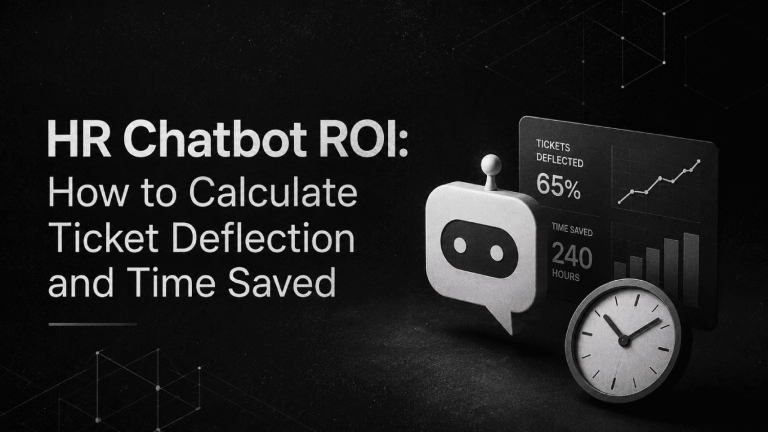
Deflection rate measures what percentage of incoming queries the chatbot resolves without human intervention. Containment rate measures whether those resolutions were actually accurate and complete, not just queries the employee abandoned. Any vendor who reports only deflection rate without containment context is giving you half the picture. Look for dashboards that show both, plus topic-level breakdowns so you can see which query types are failing and why.
The Best HR Helpdesk Chatbot Tools Compared
These seven tools represent the serious options for HR service delivery teams evaluating ticket deflection software. This is not an exhaustive market map. It is the shortlist a practitioner would actually put in front of a selection committee.
| Tool | Best For | Key Strength | Watch Out For | Pricing Model |
|---|---|---|---|---|
| ServiceNow HRSD | Enterprise HR ops teams on ServiceNow | Full case management + chatbot in one platform | High implementation cost; needs a dedicated admin | Quote-only |
| Moveworks | Mid-market to enterprise, Teams/Slack-first | Autonomous resolution across enterprise systems | Requires clean, integrated data stack to work well | Quote-only |
| Leena AI | Mid-market companies wanting multi-system integration | Broad HRIS/ITSM integrations; case management built in | Knowledge setup takes longer than vendors claim | Quote-only |
| Workativ | SMB and mid-market HR + IT helpdesk overlap | No-code workflow builder; fast deployment | AI depth thinner than enterprise alternatives | Starts at public pricing tiers; check workativ.com |
| Espressive Barista | Enterprises wanting high containment rates | Pre-built HR knowledge; NLP tuned for HR language | Less flexible for non-standard HR workflows | Quote-only |
| Forethought | HR teams running Zendesk or Salesforce Service Cloud | Triage and routing intelligence; strong CX heritage | HR-specific knowledge less deep than pure-play HR tools | Quote-only |
| Microsoft Copilot (M365) | Orgs already on M365 wanting low-friction deployment | Native Teams integration; no new vendor relationship | HR use cases require significant prompt and knowledge configuration | Per-user/month add-on to M365; pricing at microsoft.com |
ServiceNow HR Service Delivery
ServiceNow HR Service Delivery is the market’s most complete HR helpdesk platform, combining a conversational chatbot with full case management, SLA enforcement, and knowledge management in a single system. If your organization already runs ServiceNow for IT service management, the case for extending it to HR is strong: same governance model, same admin team, shared knowledge infrastructure.
The chatbot component uses ServiceNow’s Virtual Agent, which can handle policy lookups, initiate workflows (like leave requests or document generation), and escalate to HR agents with full context preserved. The case management layer is where ServiceNow earns its premium: every interaction becomes a trackable record with ownership, SLA status, and audit trail.
The catch is cost and complexity. ServiceNow HRSD is an enterprise product with enterprise pricing and implementation timelines. Organizations without an existing ServiceNow relationship should expect a significant implementation engagement. This tool does not make sense below roughly 1,000 employees unless you are already running ServiceNow for other functions.
Moveworks
Moveworks takes a different approach: instead of asking HR to build a knowledge base first, it ingests your existing content across SharePoint, Confluence, Workday, and other connected systems and builds its reasoning layer on top of that. The result is a chatbot that can answer questions using live, cross-system data without requiring HR to manually author every response.
For Teams and Slack-first organizations, Moveworks is among the strongest options. Its native integrations with both platforms are genuine, not portal redirects. Employees ask a question in Teams, Moveworks resolves it or opens a case, and HR sees the interaction in a centralized dashboard.
Where Moveworks requires honesty with yourself: it works best when your underlying data is clean and integrated. If your Workday data is inconsistent, your SharePoint is a mess, or your HR team has no governance process for content, Moveworks will amplify those problems rather than hide them. Pricing is quote-only; Moveworks does not publish list prices.
Leena AI
Leena AI positions itself as an employee experience platform, but its core value for HR service delivery teams is the combination of a conversational AI layer, a built-in HR knowledge base builder, and case management that integrates with major HRIS and ITSM platforms including Workday, SAP SuccessFactors, ServiceNow, and Zendesk.
The knowledge builder is more accessible than ServiceNow’s for HR teams without dedicated admin support. HR admins can author, approve, and publish content through a UI that does not require developer involvement. For organizations with a mix of HR and IT helpdesk queries, Leena AI handles both, which reduces the number of chatbots employees have to work across.
Implementation timelines are a consistent complaint in practitioner reviews. Leena AI’s sales cycle often projects eight to twelve weeks to go live, and real deployments frequently run longer. Build that into your project plan before signing.
Workativ
Workativ occupies a distinct position: it is the clearest option for SMB and lower mid-market organizations (roughly 200 to 1,000 employees) that need an HR and IT helpdesk chatbot without an enterprise budget or a six-month implementation. Its no-code workflow automation builder lets HR teams connect the chatbot to HR and IT systems and configure automated actions (like resetting a password, looking up PTO balance, or generating an employment verification letter) without writing code.
Workativ publishes pricing tiers on its website, making it unusual in a market where almost every competitor is quote-only. For budget-conscious buyers, that transparency is meaningful. The trade-off is AI depth: Workativ’s NLP is capable for common HR queries but less sophisticated than Moveworks or Espressive when queries get ambiguous or complex. For straightforward FAQ deflection and workflow automation, it overperforms its price tier. For nuanced HR case management at scale, it falls short.
Espressive Barista
Espressive Barista was purpose-built for enterprise service management, and its differentiation in the HR space comes from its pre-built HR knowledge library. Rather than starting from zero, Espressive ships with a substantial set of pre-authored HR answers across common policy categories that HR teams then adapt rather than create from scratch. This reduces time to value compared to tools that require HR to build the knowledge base entirely.
Espressive’s NLP is specifically trained on workplace language, which matters more than it sounds. Employees rarely phrase HR questions in the clean, formal language that generic chatbots are tuned for. They say “when do I get paid” not “what is the payroll cycle,” and they say “can I work from home Friday” not “what is the remote work policy.” Espressive handles that ambiguity better than most.
The constraint is flexibility. Espressive Barista is well-suited to standard enterprise HR workflows but less adaptable for organizations with non-standard leave policies, complex multi-country HR structures, or highly customized HRIS configurations. Pricing is quote-only.
Forethought
Forethought originated in the customer support space and built its reputation on triage intelligence: routing, tagging, and resolving support tickets faster by understanding intent before a human agent sees the query. Its HR helpdesk application is strongest in organizations that already run Zendesk, Freshdesk, or Salesforce Service Cloud as their ticketing backbone and want to add an AI deflection layer on top rather than replacing the system entirely.
For HR teams that have already standardized on a CX ticketing platform (which is more common than purpose-built HR case management at mid-market companies), Forethought is often the lowest-disruption path to meaningful deflection. The HR-specific knowledge depth is thinner than Leena AI or Espressive, so HR teams will need to invest more in knowledge authoring. Pricing is quote-only.
Microsoft Copilot for M365
Microsoft Copilot, as of its current M365 integration, is not a purpose-built HR helpdesk chatbot. It is a general-purpose AI assistant that sits inside Teams, Outlook, and other M365 applications. For HR service delivery, its value depends entirely on how well your HR team configures it: what SharePoint content it can access, what HR policies you have loaded into its knowledge scope, and what connectors you have activated.
Organizations already running M365 across their workforce should evaluate Copilot before buying a standalone HR helpdesk tool. The channel integration is unmatched because it is native, and the per-user pricing adds on to existing M365 licensing rather than introducing a new vendor contract. The gap is governance: Copilot does not have the case management, SLA tracking, or HR-specific escalation workflows that purpose-built tools offer. It is a strong deflection layer for an HR team willing to own the configuration work, not a turnkey HR helpdesk platform.
For a broader look at how enterprise HCM platforms are building AI into their own service delivery layers, our comparison of Workday AI vs SAP Joule vs Oracle AI for HR covers what is built into your existing HRIS versus what requires a separate purchase.
How to Measure Whether Your HR Helpdesk Chatbot Is Actually Working
Deflection rate gets reported in every vendor QBR. It measures the percentage of incoming inquiries the chatbot resolves without a human HR agent touching the case. A well-functioning HR helpdesk chatbot should show deflection rates in the range of 40 to 70 percent for common HR query types, though vendors frequently claim higher figures in their marketing without specifying how they define “deflection.”
The metric that matters more is containment rate: of the queries the chatbot claims to have deflected, what percentage resulted in employees not re-opening or re-submitting the same inquiry? A chatbot that “deflects” a PTO question by telling the employee to check the handbook has technically deflected the ticket but has not answered the question. Containment requires that the employee actually got what they needed.
Three other metrics round out a real measurement framework. First-contact resolution rate measures how often an inquiry is fully resolved at the chatbot layer without any human follow-up. Time-to-resolution measures how quickly the chatbot or subsequent HR agent closes a case from initial inquiry. Employee satisfaction score on chatbot interactions (typically via a post-interaction survey) tells you whether the tool is building or eroding trust with your workforce.
If a vendor cannot show you containment rate data from their existing customers, ask why. That absence usually means they are not measuring it.
What Does an HR Helpdesk Chatbot Cost?
Most enterprise-grade HR helpdesk chatbots are priced on a quote-only basis. ServiceNow HRSD, Moveworks, Leena AI, Espressive Barista, and Forethought all require a sales conversation before pricing is disclosed. Factors that affect pricing include number of employees, number of supported languages, depth of HRIS integrations, and whether case management is included or a separate module.
Workativ is an exception: it publishes pricing tiers on its public pricing page, making it accessible for organizations that need to budget before entering a sales cycle. Microsoft Copilot for M365 is priced as a per-user monthly add-on to existing M365 Business or Enterprise subscriptions, with current pricing listed on Microsoft’s public page.
For context on total HR tech spend evaluation, our HR software buying checklist includes a section on evaluating service delivery tools alongside your broader HRIS and payroll stack, which helps prevent the common mistake of buying a chatbot that duplicates functionality your HRIS vendor is already building.
How to Choose the Right HR Helpdesk Chatbot for Your Organization
The decision tree is simpler than most vendor comparisons suggest. Start with three questions.
Where do your employees actually work? If your workforce lives in Microsoft Teams, Copilot or Moveworks are the strongest channel-fit options. If you are a Slack shop, Moveworks and Leena AI have the most mature integrations. If employees primarily work through a company intranet or mobile app, more of the options are viable.
What does your HRIS stack look like? Organizations running ServiceNow for IT should evaluate ServiceNow HRSD first. Workday-heavy environments should pressure-test Moveworks and Leena AI’s Workday connectors specifically, including whether they support bidirectional write-back for leave requests or whether they are read-only lookups. If your HRIS is BambooHR, HiBob, or a smaller platform, confirm integration depth rather than taking a vendor’s “we integrate with X” claim at face value.
Does your HR team have capacity to govern the knowledge layer? If the answer is no, tools that require you to build the knowledge base from scratch (like Forethought in an HR context, or a generic Copilot deployment) will underperform. Espressive’s pre-built knowledge library and Moveworks’ content-ingestion model are better fits for lean HR teams. If you have an HR ops specialist who can own content governance, the full range of tools is viable.
For teams evaluating where an HR helpdesk chatbot fits within a broader AI HR strategy, the guide on what AI agents can automate in HR service delivery maps the automation boundaries more precisely, including which HR service interactions should never be delegated to a bot regardless of capability.
Implementation Realities Nobody Puts in the Sales Deck
Every vendor will tell you they can go live in six to eight weeks. The organizations that actually hit that timeline are the ones that had their HR knowledge content organized before the vendor engagement started. Most do not.
Plan a content audit before you sign a contract. Identify the top twenty to thirty query types that drive the most ticket volume (your ticketing system or email history will show you this). For each one, confirm you have a current, accurate policy document that covers it. Fix gaps before implementation begins. This pre-work shortens implementation timelines more than any vendor feature does.
Escalation configuration is where implementations stall most often. Defining which query types escalate to which HR team members, at what point in the conversation, and with what routing logic requires HR leadership decisions that frequently have not been made before implementation starts. Build those decisions into your project plan as explicit milestones with owners.
Employee communication also gets underestimated. A chatbot that launches with no announcement, no manager briefing, and no explanation of what it can and cannot do will see slow adoption and a flood of “I don’t trust this thing” feedback. Treat the chatbot launch like any other HR system rollout: change management included. Our HR software implementation checklist covers rollout planning in detail and applies directly to HR chatbot deployments.
Frequently Asked Questions
What is an HR helpdesk chatbot?
An HR helpdesk chatbot is an AI-powered tool that handles employee HR inquiries automatically, without requiring an HR team member to respond manually. It answers policy questions, processes leave requests, looks up payroll information, and routes complex cases to the right HR contact. Unlike a general HR chatbot, a helpdesk chatbot includes case tracking, escalation workflows, and SLA management built for HR service delivery operations.
What is a ticket deflection rate and how is it measured?
Ticket deflection rate is the percentage of incoming HR support inquiries that the chatbot resolves without any human HR intervention. It is typically measured by dividing the number of chatbot-resolved interactions by the total number of incoming inquiries over a defined period. A more meaningful companion metric is containment rate, which measures whether employees who received a chatbot response did not re-contact HR with the same question, confirming the answer was actually useful.
How much does an HR helpdesk chatbot cost?
Most enterprise HR helpdesk chatbots are priced on a quote basis, with cost driven by employee count, integration complexity, and included modules. Workativ publishes pricing publicly and represents the most transparent option for budget planning. Microsoft Copilot for M365 is available as a per-user monthly add-on with pricing listed on Microsoft’s website. ServiceNow, Moveworks, Leena AI, Espressive, and Forethought all require a sales engagement for pricing disclosure.
What HRIS platforms do HR helpdesk chatbots integrate with?
Most serious HR helpdesk chatbot vendors support integrations with Workday, SAP SuccessFactors, ADP, BambooHR, HiBob, and Rippling. Depth matters more than the integration list itself. A bidirectional integration that allows the chatbot to both read data (like PTO balances) and trigger actions (like submitting a leave request) is significantly more valuable than a read-only connection. Always ask vendors to demonstrate a specific workflow in your HRIS during a proof of concept, not just show a connector logo on a slide.
Can a general HR chatbot handle ticket deflection, or do I need a purpose-built HR helpdesk tool?
A general HR chatbot can answer questions, but true ticket deflection requires case creation, escalation routing, SLA tracking, and containment measurement. Without those components, you are adding an FAQ layer, not replacing a helpdesk. For organizations with fewer than 200 employees and low HR ticket volume, a general chatbot may be sufficient. Above that threshold, the absence of case management creates enough downstream work for HR that deflection savings rarely materialize.
What query types are best suited to HR helpdesk chatbot deflection?
High-volume, low-complexity queries with a definitive answer are the best candidates: PTO balance inquiries, payroll date questions, benefits enrollment status, remote work policy questions, document requests (pay stubs, employment verification letters), and onboarding FAQs. Queries involving performance concerns, disciplinary matters, mental health support, accommodation requests, or anything requiring HR judgment should escalate to a human immediately. Automating those categories erodes employee trust and creates legal exposure.
How long does it take to implement an HR helpdesk chatbot?
Vendor timelines range from four weeks (Workativ, for straightforward deployments) to three to six months (ServiceNow HRSD for enterprise implementations). The biggest variable is how organized your HR knowledge content is before implementation starts. Organizations that complete a content audit, define their top thirty query types, and establish escalation routing logic before the vendor engagement starts consistently hit the shorter end of the timeline. Skipping that prep work doubles implementation time in practice.
How do I evaluate AI HR vendors to avoid buying an overhyped chatbot?
Ask the vendor for a proof of concept using your actual query data, not their demo scripts. Request customer references from organizations with a similar HRIS stack to yours. Ask specifically for containment rate data, not just deflection rate. Ask how HR admins update knowledge content without developer support. And ask what happens when the chatbot gets a question wrong: what is the feedback loop, and how quickly does it correct? Our AI HR vendor evaluation checklist includes 50 questions structured for this kind of due diligence.
The Real Test Is Who Owns the Knowledge Layer
Every vendor in this market will show you an impressive demo built on clean, well-organized HR content. The demo is not the product. The product is what happens six months after go-live when three policies have changed, a new benefits vendor has been added, and the HR admin who owned the knowledge base has changed roles. The chatbots that continue performing well are the ones whose knowledge governance tools are simple enough that the next person can pick them up without a vendor engagement.
This is why the build versus buy question for the knowledge layer deserves more attention than it usually gets. Buying a sophisticated AI layer on top of a knowledge base you cannot maintain is a depreciating asset. The best HR helpdesk chatbot for your organization is the one your HR team can actually govern on an ongoing basis, not the one with the most impressive feature set on paper.
If the buying decision feels complex, that is because it is. HR service delivery sits at the intersection of employee trust, data privacy, HR ops capacity, and technology architecture. Getting it right means treating the chatbot less like a software purchase and more like a service redesign. The vendors who understand that distinction are worth the conversation. The ones selling deflection rates without discussing knowledge governance are not.