
- Your new HRIS vendor will extract your data, but they will not own the outcome. Mapping errors, missing history, and broken field structures are your problem after go-live.
- The most common failures happen before migration starts: no field-level data map, no decision on what historical records travel over, and no audit plan to catch errors before they matter.
- Employee history, specifically termination records, pay history, and job changes, is the data most likely to be dropped or corrupted during an HRIS migration. Plan for it explicitly.
- A migration without a parallel-run validation period is a bet. Most teams lose it and spend months cleaning up payroll discrepancies and missing tenure data post-go-live.
- Payroll data requires its own migration track. The rules for cutover timing, year-to-date balances, and tax records are different from core HR data.
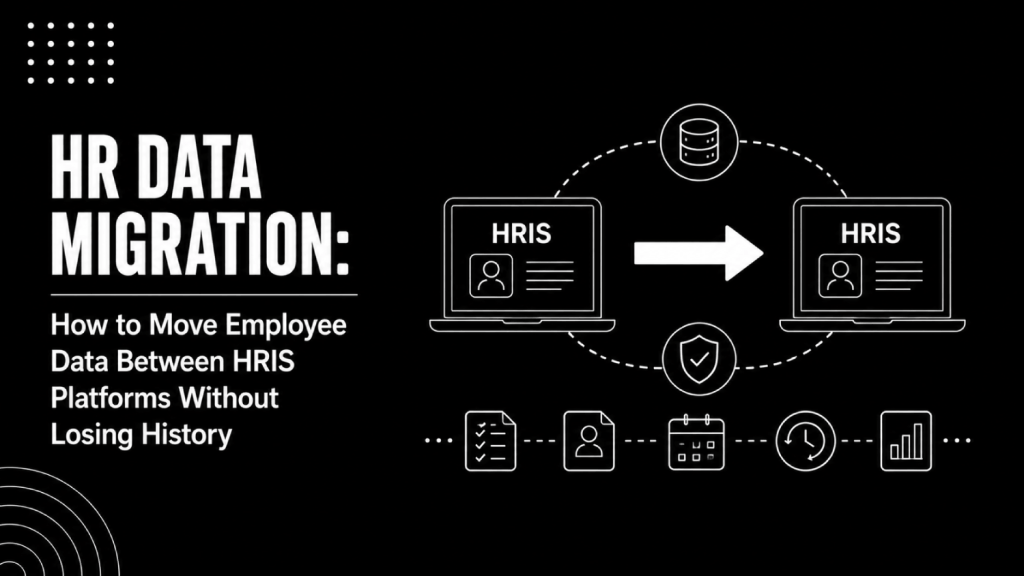
HR data migration is the process of moving employee records, job history, payroll data, and organizational structure from one HRIS to another while maintaining data integrity, regulatory compliance, and a continuous audit trail. Done correctly, it preserves full historical context in the new system. Done carelessly, it creates payroll errors, missing tenure, and compliance gaps that surface months after go-live.
Most HR teams about to switch platforms assume the new vendor handles the heavy lifting. They do handle the technical extract-transform-load work, but they cannot make decisions about your data. Which historical fields matter? What date ranges travel over? How does your old job hierarchy map to the new one? Those answers require someone on your side who knows your data and owns the outcome. That person is you, not the vendor’s implementation team.
This guide covers the full migration sequence: what to audit before you start, how to build a field map, what history you must preserve, how to validate the results, and where payroll migration diverges from core HR migration.
What Is HR Data Migration and Why Does It Fail?
HR data migration is not a file transfer. It is a structured process of extracting records from a source system, transforming them to match the target system’s data model, and loading them in a way that preserves relationships between records. The ETL acronym covers this: Extract, Transform, Load. ETL is the underlying method, but data migration is the broader project that includes planning, validation, and cutover.
The failures are almost always in the Transform step. Your current HRIS stores “Department” as a free-text field. The new one uses a hierarchical department code structure. Without a deliberate mapping decision, every department record arrives as an unmapped string, and reporting breaks on day one. The same happens with job titles, employment types, pay grades, and manager relationships.
Three patterns cause most migrations to fail:
- Scope creep on historical data. Teams start by wanting to migrate everything, then realize the source data is inconsistent across years. There is no clean answer on how far back to go without a specific business case for each record type.
- No field-level ownership. Someone needs to make a call on every field: migrate as-is, transform, leave behind, or archive externally. If that decision sits with the vendor, they will default to the safest option, which is usually leaving ambiguous fields unmapped.
- Validating too late. Teams who only validate after the full data load into the production environment find errors they cannot easily fix without reloading. Validation needs to happen at every stage, not just at the end.
What Employee Data Should You Migrate and What Can You Archive?
Not every record needs to live in the new system. Deciding what migrates versus what gets archived externally is one of the highest-value decisions in the whole project.
The following table is a working framework for how to classify your data before migration starts.
| Data Type | Migrate to New HRIS | Archive Externally | Notes |
|---|---|---|---|
| Active employee core records | Yes | No | All fields, full history |
| Job and compensation history | Yes | No | Required for tenure, promotions, equity review |
| Terminated employee records (last 7 years) | Yes | No | EEOC, FLSA, and state audit risk |
| Terminated employee records (older) | Depends | Yes | Check state retention requirements first |
| Performance reviews | Yes (last 2-3 cycles) | Yes (older cycles) | New system likely has different review structure |
| Payroll year-to-date balances | Yes | No | Critical for tax and W-2 accuracy |
| Payroll historical runs (prior years) | Sometimes | Yes | Most teams keep 3 years in new system |
| Benefits enrollment history | Current year | Yes (prior years) | Carrier feeds drive current enrollment, not HRIS history |
| Document attachments (I-9, offer letters) | Active employees: Yes | Terminated: Yes | I-9s have specific legal retention periods |
| Custom fields specific to old system | Map or discard | Depends on use | Audit usage before migrating orphaned data |
The archive decision is not about storage cost. It is about compliance. Before finalizing what you leave behind, verify your state and federal retention obligations. The FLSA requires payroll records to be kept for at least three years. EEOC requires certain applicant and employment records for one to two years depending on employer size. Some states set longer windows. If a record type falls within a mandatory retention period, it either migrates or lands in a secure, accessible archive, not a folder on someone’s desktop.
How Do You Build an HR Data Field Map Before You Migrate?
A field map is a spreadsheet that documents every field in the source system, its equivalent in the target system, the transformation logic required, and who approved that logic. It is the most important document in the whole migration project, and most teams build it too late or not at all.
Start by exporting a full list of fields from your current HRIS. Most platforms let you pull this from their data dictionary or configuration settings. For each field, answer four questions:
- What is this field called in the source system?
- What is the equivalent field in the target system, if one exists?
- Does the data format need to change? (dates, dropdowns, free text)
- Is there a business rule that governs this field, such as a status that means different things in each system?
Fields that have no equivalent in the new system need an explicit decision: create a custom field, map to the closest existing field with a documented caveat, or discard. Leaving it undefined guarantees a problem. If you are migrating from BambooHR to Workday, for instance, BambooHR’s flat job structure does not map cleanly to Workday’s position management model. That is a design decision your team has to make before the implementation team can proceed.
Assign a field map owner. That person is accountable for every unmapped or ambiguous field. If no one owns it, it defaults to “skip,” and you find out what was lost three months post-go-live when someone asks why employee X’s 2021 promotion is missing.
What Are the Steps for an HR Data Migration?
A migration that holds up runs through six stages. Most vendor implementations compress or skip steps three and four, which is where the failures originate.
Stage 1: Data Audit and Inventory
Export a full record count from your current system by entity type: employees, jobs, departments, pay rates, documents. Note data quality issues now, not after migration. Duplicate records, inconsistent date formats, and unmaintained fields are exponentially harder to fix inside the new system than in the source. If your HR data quality is already poor, this is the guide on cleaning and connecting workforce data before you migrate anything.
Stage 2: Scope and Archive Decision
Using the table above as a starting point, finalize which data migrates, which goes to an archive, and which gets discarded. Get legal sign-off on retention decisions. Document the archive solution before migration starts so there is no scramble at cutover.
Stage 3: Field Mapping and Transformation Rules
Build the field map as described above. Include transformation rules for every field that changes format, structure, or picklist values. Share it with the new vendor’s implementation team so they build the loading logic against your decisions, not their defaults.
Stage 4: Test Migration in a Sandbox
Run a test load of a representative data subset, typically 10 to 15 percent of records across all employee types, into a non-production environment. Check field-level accuracy, relationship integrity (does manager still link to the right employee?), and calculated fields (is tenure calculating correctly from the original hire date?). This step gets cut when timelines compress. Cutting it almost always costs more time at go-live than it saved during the project.
Stage 5: Full Migration Load and Parallel Validation
Run the full data load. Then run a parallel validation period where both systems are active and record counts, key fields, and calculated values are compared. For payroll migrations, this means running payroll in both systems for at least one cycle and reconciling every variance before cutting over. This parallel period is non-negotiable for payroll. For core HR data, it should be at least two weeks.
Stage 6: Cutover, Archive, and Post-Go-Live Audit
Freeze the old system for writes before cutover. Complete any last delta loads for records changed during the validation period. Confirm the archive is accessible and complete. Thirty days after go-live, run a post-migration audit: pull a random sample of 50 records and verify every critical field against the source. Issues caught at 30 days are still recoverable. Issues caught at six months are legacy problems.
How Does Payroll Migration Differ From Core HR Data Migration?
Payroll migration has timing constraints that core HR migration does not. The most critical: year-to-date balances. If you migrate payroll mid-year, the new system needs to carry over every employee’s YTD gross wages, tax withholdings, deductions, and employer tax contributions accurately. A single miscalculated YTD figure generates W-2 errors and potential IRS penalties.
Most payroll migrations happen at a calendar year boundary for exactly this reason. Starting fresh on January 1 with a clean YTD slate is far simpler than mid-year carries. When mid-year is unavoidable, the YTD balance file becomes its own migration workstream with its own validation protocol.
Payroll migration also requires these records to carry over correctly:
- Tax setup per employee: federal, state, and local tax elections including W-4 data
- Direct deposit account information
- Garnishments, child support orders, and court-ordered deductions with their remaining balances
- Accrual balances for PTO and sick time if your new system manages accruals
- Prior-year payroll records sufficient to produce W-2s if the migration straddles a tax year
For teams replacing platforms like ADP, UKG, Paychex, or Gusto, the specific export formats and available fields differ meaningfully. ADP, for instance, exports payroll history in formats that require non-trivial transformation to load into most modern HRIS platforms. A payroll migration consultant who has run this specific source-to-target combination will save significant time and catch edge cases that a general implementation team will miss.
How Do You Preserve Employee History When Switching HRIS Platforms?
Employee history falls into two categories: transactional history, which is every recorded change to a record over time, and document history, which is attached files. Both require explicit decisions.
Transactional history, specifically compensation changes, job title changes, manager changes, and leave events, is usually stored in the source system as effective-dated rows or an audit log. The target system needs to receive this history in a format it can display. Many modern HRIS platforms (HiBob, Rippling, Workday) support importing effective-dated change history, but the load format differs by vendor. Confirm this with your new vendor before the project starts, not after the contract is signed.
A common failure: teams migrate the current-state record but not the change history rows. The new system shows the correct current job title but has no record of when it changed or what it was before. That breaks tenure analysis, compensation benchmarking, and any people analytics that depends on historical job data. If you are investing in a people analytics platform, incomplete job history will degrade every model that runs on workforce trend data.
Document history, specifically I-9s, offer letters, and performance documents, typically migrates as file attachments linked to employee records. Confirm the new system supports the document types and volume before migration. Some platforms cap attachment storage per employee or charge for document storage above a threshold.
When Should You Hire an HRIS Migration Consultant?
Internal teams can run migrations for companies under 200 employees with reasonably clean data and a straightforward field structure. Above that threshold, or when payroll is involved, the risk of an error affecting employees’ pay or access outweighs the cost of outside help.
Hire a consultant if any of these apply:
- You are migrating payroll mid-year
- Your source system is a legacy platform with non-standard export formats (older ADP configurations, PeopleSoft, SAP HCM on-premise)
- You have over 1,000 employees and more than three years of job history to preserve
- Your new platform is Workday, which has a complex data model that requires EIB (Enterprise Interface Builder) expertise
- You are migrating across multiple countries with different pay structures and compliance requirements
The best HRIS implementation partners will bring pre-built field maps for common source-to-target migrations, which cuts the mapping phase from weeks to days. That institutional knowledge is what you are actually paying for. For Workday-specific migrations, Workday consulting firms with dedicated data migration practices are a separate category worth evaluating if Workday is your destination.
What Integration Work Follows an HRIS Migration?
A completed data migration does not mean your HR stack is functional. Your HRIS feeds data to payroll processors, benefits carriers, ATS platforms, identity management systems, and finance tools. Every one of those integrations was configured against your old system’s data model. After migration, each integration needs to be remapped to the new system’s field structure and tested.
This is where many teams experience their worst post-go-live problems. The migration goes smoothly, but benefits carrier feeds break because the employee ID format changed, or the ATS stops syncing new hires because the department codes no longer match. These are integration failures, not migration failures, but they happen because no one mapped the integration dependencies before cutover.
Build an integration inventory before you start the migration project. List every system that receives data from the current HRIS, the field it depends on, and the format it expects. For a fuller framework on how these data flows work, the guide on how HR systems integrate across HRIS, payroll, ATS, benefits, and finance covers the architecture in detail. If you have more than five downstream integrations, the decision to use an iPaaS middleware layer versus point-to-point API connections will affect your migration design, not just your integration design.
HR Data Migration FAQ
What is data migration in HR?
HR data migration is the process of moving employee records, organizational data, payroll history, and related files from one HR system to another. It involves extracting data from the source system, transforming it to match the target system’s structure, and loading it accurately. A complete migration preserves historical records, maintains relationships between data entities, and passes regulatory data retention requirements.
What is the difference between ETL and data migration?
ETL (Extract, Transform, Load) describes the technical method used to execute a data migration. Data migration is the broader project: it includes scoping what data moves, building field maps, running validation checks, and managing cutover. ETL tools like Informatica, Talend, or custom scripts handle the ETL steps, but they do not replace the planning and validation work that surrounds them.
What data should you always migrate to a new HRIS?
At minimum, migrate all active employee core records, full job and compensation change history, payroll year-to-date balances (if migrating mid-year), terminated employee records within your legal retention window, and current benefits enrollment. Performance review history and older payroll data can be archived externally in many cases, but active employee records and any data within a mandatory retention period must travel with the migration or land in an accessible, documented archive.
How long does an HRIS data migration take?
For a company with 200 to 500 employees and reasonably clean data, a well-structured migration from source to validated go-live takes eight to sixteen weeks. Larger or more complex migrations, particularly those involving payroll, multiple countries, or legacy source systems, run longer. The test migration and parallel validation phases drive most of the timeline. Cutting those phases to compress the schedule is the most common cause of post-go-live problems.
Can you migrate data between HRIS platforms without a consultant?
For small companies under 200 employees with a modern source system and no payroll migration, internal teams can manage the migration with strong vendor support. Beyond that threshold, especially when payroll history, compliance-sensitive records, or complex org structures are involved, an independent consultant adds meaningful protection. The risk is not the data load itself; it is the decisions about field mapping and history scope that require experience across multiple source-to-target combinations.
What is a migration checklist for HRIS?
A functional HRIS migration checklist covers: data audit and record inventory, archive and retention decisions, field map with transformation rules, test migration in a sandbox environment, parallel validation period, integration remapping, cutover freeze and delta load, archive confirmation, and a 30-day post-go-live audit. The HR software implementation checklist covers this sequence alongside broader go-live requirements including permissions, payroll setup, and user rollout.
What are the biggest risks in employee data migration?
The four highest-risk areas are: (1) losing effective-dated job history when migrating to systems with different change-tracking models, (2) corrupting payroll YTD balances during mid-year migrations, (3) breaking downstream integrations that depend on field formats from the old system, and (4) missing mandatory data retention obligations when deciding what to archive rather than migrate. Each of these requires a deliberate decision before migration starts, not a fix after go-live.
What to Do Before You Sign the Implementation Contract
The migration plan needs to exist before you sign with the new vendor, not after. Most implementation contracts are scoped around the vendor’s standard migration service, which covers a typical field set and a defined number of historical records. Anything outside that scope, which often includes multi-year job history, complex pay structures, and legacy document attachments, becomes a change order. Knowing your data scope in advance gives you negotiating room and a realistic project timeline.
Review the hidden switching costs that mid-market teams consistently underestimate before finalizing the project budget. Migration labor, integration remapping, and post-go-live cleanup routinely run over initial estimates when the data scope is not pinned down early.
Migration is not a technology problem. It is a data decision problem. Every field that travels to the new system was a choice. Every piece of history that arrives intact was planned for. The teams that come out of a migration with clean, complete data are the ones who owned those decisions before the project started, ran their own validation, and did not delegate the outcome to a vendor whose job ends at go-live.