
TLDR
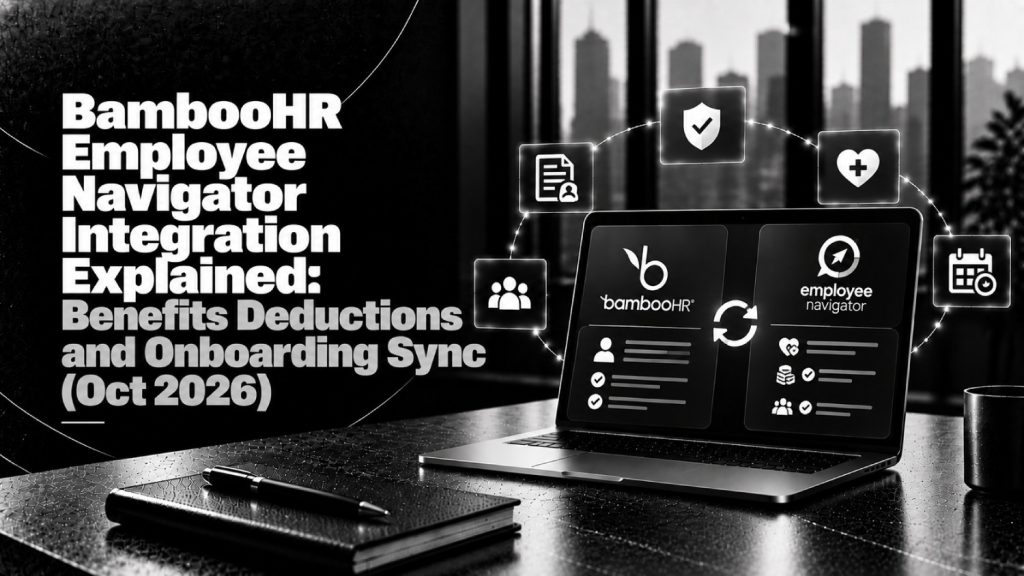
- On Oct. 1, 2026, BambooHR and Employee Navigator announced a partnership that creates a two-way connection between benefits enrollment and payroll, per the GlobeNewswire release.
- Employee demographic data, benefit deductions, and employer contributions now move automatically between the two systems. New hires flow from BambooHR into Employee Navigator, and deductions flow back after open enrollment, new hire enrollment, and qualifying life events.
- Demographic sync works without BambooHR Payroll. Deduction sync into payroll requires BambooHR Payroll, according to the BambooHR integration listing.
- Companies already running active benefit plans in BambooHR must map current deductions to Employee Navigator equivalents and then end the matching BambooHR plans. Employee Navigator becomes the system of record for those plans.
- For buyers: this is a broker-led SMB benefits and payroll data story, not an agentic HR demo and not a multi-state compliance product. Ask who owns deduction codes, how mismatches get caught before a payroll run, and what changes for your broker workflow.
Oct. 1, 2026 gave SMB benefits and payroll buyers a plain integration story, which is often the work that actually removes errors from a pay run.
Many small and mid-sized employers buy benefits through a broker, and that broker frequently runs enrollment in Employee Navigator. Until this partnership, BambooHR customers in that situation kept benefits and payroll in two systems and re-keyed deductions between them. The new connection targets that handoff directly.
This draft is different from the rest of the hub. Recent hub pieces covered agent launches (UKG, ADP, Workable, Paychex, Warp, LinkedIn), Workday ecosystem deals, global payroll AI, Gusto’s multi-state compliance product, and California’s SB 947. This one sticks to the Oct. 1 facts, what data moves in each direction, when BambooHR Payroll is required, and the questions employers and brokers should ask before switching it on.
What BambooHR and Employee Navigator announced
Per the Oct. 1 GlobeNewswire release and the Employee Navigator broker reprint:
- BambooHR partnered with Employee Navigator to create a two-way connection between benefits enrollment and payroll.
- Employee demographic data, benefit deductions, and employer contributions move automatically between the systems, which is meant to remove duplicate data entry.
- Employee Navigator describes itself as serving 200,000+ companies, 7,000+ brokers, and 600+ carriers, payroll providers, and TPAs. These are vendor-stated figures.
- BambooHR describes itself as serving 30,000+ customers in 190+ countries with 3M+ employee records. These are also vendor-stated figures.
Brian Crofts, Chief Product Officer at BambooHR, said: “Benefits are one of the highest-stakes decisions a business makes, and for most small and mid-sized companies, a broker is how that decision actually gets executed. Some employers manage benefits themselves, and BambooHR’s benefits administration is built for them. Many others rely on a broker, and until now that meant benefits and payroll lived in two systems. This partnership with Employee Navigator closes that gap. The data stays in sync automatically, giving the employer more options between their broker and their HR platform.”
George Reese, CEO of Employee Navigator, said: “Benefits administration works best when it’s connected to the other systems brokers and employers rely on every day. Our integration with BambooHR eliminates duplicate data entry between benefits and payroll, so our customers can spend less time on manual updates and more time taking care of their employees.”
Treat both quotes as vendor positioning. Your diligence still has to confirm field mapping, timing, and error handling for your own plans and pay schedules.
What syncs (and what needs BambooHR Payroll)
The BambooHR integration listing, published and updated 10/1/2026, splits the connection into two lanes. Knowing which lane you are buying is the most important packaging question.
Lane 1: Demographic and onboarding sync (no BambooHR Payroll required)
- New hires created in BambooHR flow into Employee Navigator, so the broker or benefits team can start enrollment without re-entering the employee.
- Cost Centers in BambooHR map to Class and Employment types in Employee Navigator, which drives plan eligibility.
- Ongoing updates move both ways so eligibility stays current when a job, status, or pay detail changes.
- Fields listed include name, SSN, gender, birth date, address, phones, emails, hire and termination dates, employment status, job title, pay type, salary or pay rate, EIN, division, department, and location.
Lane 2: Deduction and employer contribution sync (BambooHR Payroll required)
- After open enrollment, new hire enrollment, and qualifying life events, Employee Navigator sends deductions and employer contributions into BambooHR Payroll.
- For BambooHR Payroll customers, those deductions flow into payroll runs automatically.
- A dedicated Employee Navigator Deductions Report shows plans, amounts, employer contributions, frequencies, and effective dates, which gives payroll a reconciliation view before a run.
The practical rule: if you run payroll somewhere other than BambooHR, you get the onboarding and eligibility benefit but not the automated deduction feed. That is a meaningful line for buyers who use BambooHR as the HRIS and a separate payroll provider.
Setup and buyer packaging signals
The listing describes a short enablement path. In BambooHR, go to Settings > Apps, choose demographic only or include payroll, and set deduction codes. In Employee Navigator, go to Payroll > Connect Your Payroll Platform and authorize BambooHR.
| Signal | What BambooHR and Employee Navigator published | Buyer use |
|---|---|---|
| Launch date | Announced Oct. 1, 2026; listing published and updated 10/1/2026 | Treat early weeks as a rollout period and ask about known issues |
| Demographic sync | Available without BambooHR Payroll | Confirm Cost Center to Class mapping before the first new hire syncs |
| Deduction sync | Requires BambooHR Payroll | Decide whether payroll consolidation is worth it for this feed alone |
| Existing BambooHR benefit plans | Map current deductions to Employee Navigator equivalents, then end matching BambooHR plans once EN deductions flow | Plan a cutover date and avoid double deductions in the overlap |
| System of record | Employee Navigator becomes the record for mapped plans | Agree internally who edits plans and where audits start |
| Reconciliation | Employee Navigator Deductions Report in BambooHR | Add a pre-payroll review step after enrollment windows and life events |
| Contacts | Brokers: en_brokerrequest@bamboohr.com; support: support@bamboohr.com | Route broker setup requests separately from employer support tickets |
Neither source lists pricing for the integration. Confirm whether any fees apply in your BambooHR and Employee Navigator agreements before you budget.
Why this matters for broker-led SMB benefits + payroll
For many SMBs, benefits decisions run through a broker and payroll runs through the HR platform. The weak point is the handoff. A missed deduction change after a life event or a late new hire enrollment can mean incorrect paychecks, retro corrections, and carrier billing mismatches.
This integration moves that handoff from manual entry to a defined data feed. It also clarifies roles: the broker and Employee Navigator own enrollment and plan data, while BambooHR owns the employee record and, for payroll customers, the pay run. That role split is the real buyer value, more than the vendor-stated scale figures.
It also changes the platform choice for some employers. BambooHR already offers native benefits administration for employers that self-manage, and Crofts frames this partnership as the option for employers that rely on a broker. If you are comparing BambooHR against other suites, the broker connection is now a factor to weigh alongside the points in Workday vs Rippling vs BambooHR. If you are still choosing a benefits platform itself, start with best benefits administration software for mid-market companies.
How this differs from other hub drafts and site pages
HrTechSaas already covers nearby payroll, benefits, and integration topics:
- Hub: UKG Bryte and Agentic Pay, ADP AWS, Workday Gartner WFM Magic Quadrant, Workable Agents, Rippling AI Lab, Workday Payroll by Neeyamo, Paychex WISE Hire, Workday Cash App + Experian Verify, Warp Agent, SalaryTalent, Neeyamo Compass, LinkedIn Hiring Assistant 2, Gusto Business Compliance, and California No Robo Bosses Act SB 947
- Site: best benefits administration software for mid-market companies, the HR system integration guide, best COBRA administration providers (which mentions Employee Navigator), and Workday vs Rippling vs BambooHR (a comparison only)
This draft is different:
- Same-week BambooHR and Employee Navigator partnership news (Oct. 1, 2026)
- Focus on two-way demographic and payroll deduction sync for broker-led SMB benefits
- Not Workday Total Benefits, not Gusto multi-state compliance, and not an agentic HR demo
Do not merge this into the benefits administration listicle or the integration guide. Those pages answer evergreen selection and architecture questions, while this page answers what changed on Oct. 1 and what to verify. Link to them for context rather than repeating them.
Who should care, and what to ask
Prioritize a read-out if you:
- Use BambooHR as your HRIS and buy benefits through a broker who runs Employee Navigator
- Run BambooHR Payroll and currently re-key deductions after open enrollment or life events
- Are a broker supporting several BambooHR clients and want fewer census file exchanges
- Use BambooHR with a separate payroll provider and want to know what you get without BambooHR Payroll
Ask BambooHR, Employee Navigator, and your broker before switching it on:
- Which BambooHR Cost Centers map to which Employee Navigator Classes and Employment types, and who signs off on that mapping?
- Who creates and maintains deduction codes, and what happens when a new plan is added mid-year?
- How quickly do deductions from a qualifying life event reach BambooHR Payroll, and what is the cutoff before a given pay run?
- How does the integration flag a failed or partial sync, and who gets the alert: HR, payroll, or the broker?
- If you already run benefit plans in BambooHR, what is the cutover sequence that avoids double or missing deductions?
- Once Employee Navigator is the system of record for mapped plans, where do employees go to see their elections, and who answers their questions?
- If you do not run BambooHR Payroll, what is your deduction workflow, and is a payroll move worth it for this feed?
- How do termination dates flow, and how does that interact with your COBRA process? See best COBRA administration providers for that adjacent decision.
For a broader view of sync direction, field ownership, and error handling across HR systems, the HR system integration guide gives a useful checklist to pair with these questions.
The take: the broker handoff finally has a defined data path in BambooHR
The Oct. 1 announcement is not flashy, and that is its strength. It targets a common SMB failure point, the gap between a broker’s enrollment system and the HR platform that runs payroll.
The value depends on your setup. BambooHR Payroll customers get the full loop of new hires out and deductions back. Customers on other payroll providers get cleaner onboarding and eligibility data but still own the deduction step. Plan the cutover carefully if you already run benefits in BambooHR, assign a clear owner for deduction codes, and add a review of the Deductions Report before payroll runs that follow enrollment events.
FAQ
What is the BambooHR Employee Navigator integration?
It is a two-way connection announced Oct. 1, 2026 that moves employee demographic data from BambooHR to Employee Navigator and sends benefit deductions and employer contributions from Employee Navigator back into BambooHR Payroll. It is designed for employers that manage benefits through a broker using Employee Navigator.
Do I need BambooHR Payroll to use it?
Not for demographic sync. New hire and eligibility data can flow without BambooHR Payroll. Automated deduction and employer contribution sync into payroll does require BambooHR Payroll, per the BambooHR integration listing.
What happens to benefit plans I already manage in BambooHR?
You map current deductions to Employee Navigator equivalents, then end the corresponding plans and enrollments in BambooHR once Employee Navigator deductions start flowing. Employee Navigator then becomes the system of record for those plans.
How do I turn it on?
In BambooHR, go to Settings > Apps, choose demographic only or include payroll, and set deduction codes. In Employee Navigator, go to Payroll > Connect Your Payroll Platform and authorize BambooHR. Brokers can contact en_brokerrequest@bamboohr.com for setup help.
Who benefits most from this integration?
SMBs that use BambooHR, buy benefits through a broker on Employee Navigator, and run BambooHR Payroll get the most value, because they receive both onboarding sync and automated deductions. Brokers with multiple BambooHR clients also gain a more consistent data path.